

The Essential Features of HVAC CRM Software Every Contractor Needs
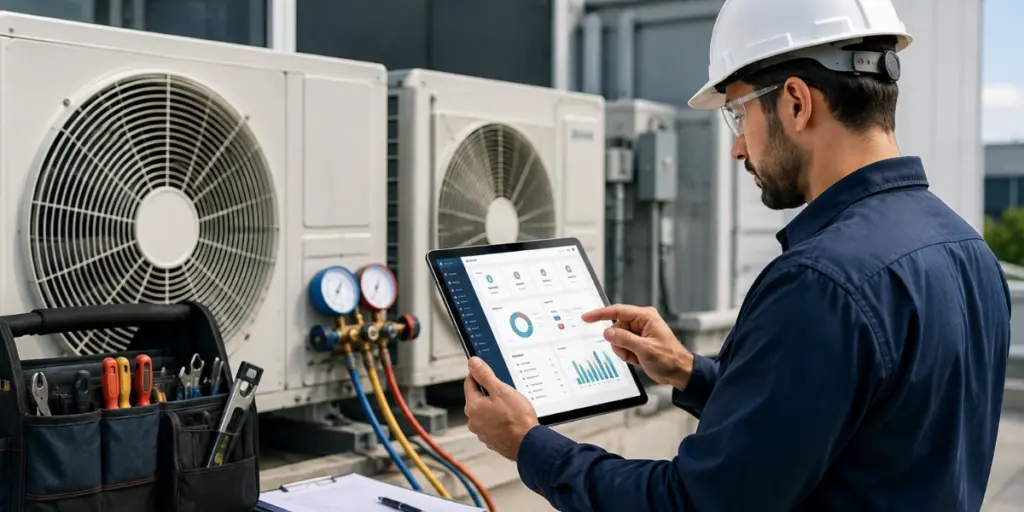

Breaking Down the Essential Features of HVAC CRM Software
Before you compare vendors, it helps to know what actually belongs on the list. The features that matter most aren’t a random pile of tools — they’re the specific functions that keep a service business running when the phones are ringing and half your techs are already on the road. Everything else is a nice-to-have.
Think of the platform as the connective tissue between your dispatch board, your field crews, and your accounting. When these core functions are missing, that connection breaks — and broken connections are where revenue quietly leaks out through double-booked jobs, forgotten follow-ups, and unbilled work.
- Job scheduling and dispatch — assign the right tech to the right call, fast
- A mobile app that gives technicians everything they need on site
- Automated quoting and invoicing to bill before the truck leaves the driveway
- Customer history tracking so every interaction is on record
- Real-time reporting that shows what’s actually happening across the business
The one-platform rule
The strongest HVAC operations run these functions inside a single system. Stitching together five separate apps means five places for data to fall out of sync — the exact problem a CRM is supposed to solve.
Job Scheduling and Dispatch Software That Keeps Crews Moving
Scheduling is where most HVAC days are won or lost. A capable job scheduling and dispatch software module lets your coordinator see technician availability, skill sets, and location on one board, then drag a job to the right person in seconds. When an emergency no-cool call comes in during a July heat wave, that speed is the difference between winning the customer and losing them to the next company that picks up.
What good dispatch actually does
- Matches jobs to the nearest qualified technician to cut windshield time
- Sends automated appointment reminders so no-shows drop
- Rebalances the board instantly when a call runs long or a truck breaks down
- Flags recurring maintenance contracts before they lapse
Route efficiency isn’t a vanity metric, either — fuel and labor are two of the largest controllable costs in field service. Tighter routing directly protects margin on every ticket.
A Mobile App for Field Technicians
Your office software is only half the story. A true mobile app for field technicians puts the job details, customer history, equipment records, and payment collection right in the tech’s hand — even in a basement with weak signal. If your crews are still calling the office to ask “what’s the address” or “did they pay last time,” you’re paying for the CRM twice: once in the license and once in wasted phone time.
On-site capabilities that pay for themselves
- View full service history and past photos before knocking on the door
- Capture before-and-after photos that back up the invoice
- Collect a signature and card payment on the spot
- Add line items and upsell maintenance plans without a callback
Utiliko built its field tools around this reality — the office and the truck read from the same live record, so an update a technician makes at 2 p.m. is visible to dispatch the moment it’s saved. That single source of truth is what keeps a busy multi-crew operation from drowning in conflicting notes.
Automated Quoting and Invoicing
The gap between finishing a job and getting paid is pure risk. Automated quoting and invoicing closes that gap by turning approved estimates into invoices with a couple of taps, applying your pricing rules, taxes, and part costs automatically. The faster the invoice goes out, the faster the money comes in — and the fewer disputes you field a month later when nobody remembers the details.
Manual billing vs. automated quoting and invoicing
| Task | Manual process | With HVAC CRM automation |
|---|---|---|
| Building a quote | Rekeyed from notes, prone to pricing errors | Pulled from a saved price book in minutes |
| Approval to invoice | Re-entered by office staff | Converted from the approved quote automatically |
| Payment collection | Mailed or chased by phone | Paid on site or via a digital link |
| Record keeping | Scattered across email and paper | Attached to the customer record instantly |
How billing changes when quoting and invoicing are automated inside your CRM
Practitioner POV
In my experience, the single fastest ROI in this whole category comes from invoicing in the field. Businesses that bill before the technician pulls out of the driveway shorten their cash cycle far more than any routing tweak ever will — because unbilled work is the most expensive work you’ll ever do.
Tired of chasing invoices and paper job tickets?
See how these tools feel when they live in one system built for field service teams.
Customer History Tracking and Real-Time Reporting
HVAC is a relationship business built on equipment that lasts a decade or more. Customer history tracking means every unit installed, every filter changed, and every warranty claim lives in one profile — so the tech who arrives in year seven knows exactly what’s under the roof. That context turns a routine service call into a natural, honest upsell conversation.
Reporting is the other half. Real-time dashboards show first-time fix rates, revenue per technician, and outstanding receivables while there’s still time to act on them. Federal resources like the U.S. Department of Energy publish guidance on heating and cooling efficiency that many operators use to frame maintenance-plan conversations with data-conscious customers.
Metrics worth watching weekly
- First-time fix rate — a leading indicator of callbacks and satisfaction
- Average ticket value by technician and by job type
- Aging receivables so nothing slips past 30 days unnoticed
- Maintenance-agreement renewal rate
According to labor market data published by the U.S. Bureau of Labor Statistics, demand for HVAC technicians continues to grow, which makes retaining the customers and data you already have even more valuable as hiring gets harder.
How to Choose the Best HVAC CRM Software
Knowing which capabilities are essential is step one; matching them to how your team actually works is where the decision is made. The best HVAC CRM software isn’t the one with the longest feature list — it’s the one your dispatcher, your techs, and your bookkeeper all use every day without workarounds. If a single team quietly reverts to spreadsheets, the platform has already failed.
What separates the best HVAC CRM software from the rest
- Adoption in the field — a mobile app crews open willingly, not one they dread
- One connected record — scheduling, billing, and history share the same data
- Configurable pricing — quoting rules and taxes that fit your region and trade
- Support that answers — onboarding help when a technician is stuck on a Saturday
For a deeper comparison of how these criteria play out across platforms, see this guide to the best HVAC CRM software and weigh each option against your own daily workflow before you shortlist. The right fit becomes obvious once you score every candidate on real adoption, not demo-day polish.
How the Essential Features of HVAC CRM Software Work Together
Individually, each tool is useful. Combined, they compound. The real payoff shows up when a booked call flows into dispatch, lands in a tech’s mobile app, generates an invoice on site, and updates the customer record and dashboard — all without anyone rekeying a thing.
A quick buyer’s checklist
- Confirm all five core functions live in one platform, not bolt-on integrations
- Test the mobile app on a real job before committing
- Ask how quoting rules and taxes are configured for your region
- Check that reporting is real-time, not a next-day export
This is exactly the philosophy behind Utiliko’s HVAC CRM software — one connected system where scheduling, field work, billing, and reporting share the same data. When you evaluate the shortlist this way, the choices get a lot shorter, and a lot clearer.
Put every job, follow-up, and payment in one place
Give your office and your field crews a single connected platform — start your free trial of Utiliko and run your HVAC business without the app juggling.
Frequently Asked Questions
What are the essential features of HVAC CRM software?
The essential features include job scheduling and dispatching, a centralized customer database with service history, mobile access for field technicians, automated invoicing and payments, and maintenance contract management. Strong reporting and quoting tools round out a complete system. Platforms like Utiliko combine these into a single dashboard so office and field teams stay in sync.
How does HVAC CRM software help field technicians?
It gives technicians mobile access to job details, customer history, and equipment records right on their phones or tablets. Techs can update job status, capture photos, collect signatures, and process payments on-site without calling the office. This cuts paperwork, reduces repeat visits, and speeds up billing.
Is HVAC CRM software worth it for small HVAC businesses?
Yes. Even small HVAC companies benefit from automated scheduling, faster invoicing, and organized customer records that reduce missed appointments and lost revenue. Many CRMs scale by user or feature, so you only pay for what you need. The time saved on manual admin typically justifies the cost quickly.
What should I look for when choosing the best HVAC CRM software?
Prioritize features that match your daily workflow: dispatching, mobile technician tools, maintenance agreement tracking, and integrated invoicing. Also weigh ease of use, customer support quality, and how well it integrates with your accounting and payment systems. Test it with a free trial before committing.
References
- U.S. Department of Energy — Heating and Cooling
- U.S. Bureau of Labor Statistics — Heating, Air Conditioning, and Refrigeration Mechanics
