

Blog
6 Best Dispatch Software for Field Service Teams in 2026


It’s 11:07 AM on a Wednesday in July.
You have eight technicians running maintenance calls across three zip codes. A no-cool emergency call comes in from a commercial client, the kind with a service agreement and a short fuse. Your technician, Marcus, is in the area, but you have no idea if he finished his last job or is still on-site. You send a text, he doesn’t respond. You call. Voicemail. You check the spreadsheet, but it has not been updated since Tuesday.
That’s the day dispatch software is supposed to prevent.
The hard part is knowing which dispatch software fits a 6-truck HVAC shop vs. a 15-technician electrical company vs. an MSP with 8 field engineers.
Do you need a dedicated dispatch tool or a full platform where dispatch connects to billing, HR, and the CRM?
This guide breaks that down honestly.
Before You Buy: Dispatch-Only Tool vs. All-in-One Platform
Dispatch software for field service teams refers to a digital platform that gives you real-time visibility into where your technicians are, what they’re working on, and who’s available, so you can assign jobs fast, reroute on the fly, and avoid operational chaos.
Good dispatch software also connects to the tools on either side of the job, especially your CRM on the front end and your invoicing on the back.
Every vendor writing a “best dispatch software” list is either selling dispatch or pretending dispatch alone is enough.
If you operate with more than three technicians, it’s not enough for you.
When dispatch lives in a separate tool from invoicing, closing a job is meaningless. You have to pull the work order, check the hours, check the parts used, and manually build the invoice. That gap between job completion and invoice sent is where you miss billable hours.
An HVAC tech who installed a $240 capacitor and logged it in the dispatch app, but not in the billing system, just donated $240 to the client.
So, after the job closes, where should the data go?
- If your answer is “into QuickBooks, manually, at the end of the week”: You need a platform where dispatch and billing are the same system, or at a minimum a dispatch tool with a real-time, bidirectional QuickBooks sync.
- If your answer is “we’re two technicians, dispatch is the only thing I need to fix right now”: You need a lightweight tool that gets you off the whiteboard without overcomplicating things.
The 6 Best Dispatch Software Options for Small Field Service Teams
Here are the tools worth considering in 2026:
1. Utiliko
Ideal for: HVAC, plumbing, electrical, and MSP teams with 2 to 30 technicians who are also juggling a CRM, invoicing, HR, and time tracking across too many separate tools.
If you opened this article because of the Wednesday dispatch nightmare above, Utiliko is for you.
- The dispatch board gives you technician locations and job statuses.
- Assign a job from one tech to another in two clicks; the reassigned tech gets a push notification on their phone with updated job details.
- When a technician marks a job complete in the field, the work order, including parts logged and hours tracked, flows directly into an invoice draft without manual entry and reconciliations.
What separates Utiliko is the platform depth on either side of dispatch. The CRM captures the lead; project management takes on the job; billing collects payment, and HR tracks attendance and timesheets.
All of it shares one database, so a client’s billing address updated in the CRM shows up correctly on the invoice without anyone touching it.
For businesses that sell parts alongside service, Utiliko’s software for product and service businesses covers inventory and parts billing within the same platform.
What it doesn’t do better than specialized tools: if your only problem is dispatch, and everything else is working, Utiliko is more platform than you need right now. Pure dispatch-only operations with no billing or CRM complexity may prefer a lighter tool.
Pricing:
- Starts at $29/month.
- Full access to every module — no feature locks, no per-tech pricing that doubles your bill when you hire two seasonals.
2. Jobber
Ideal for: Small residential HVAC, plumbing, cleaning, and landscaping companies (typically 2–10 technicians) doing their first real software upgrade from spreadsheets.
Jobber’s dispatch software board is clean and genuinely easy to learn. A dispatcher with no software experience can be scheduling jobs and sending customer notifications within a day. The quote-to-booking workflow helps customers can approve quotes and book online without a phone call, which matters for residential businesses competing on speed.
The honest trade-off: Jobber is built for residential home service. The moment you need project-level billing, service agreement management for commercial clients, or anything resembling a sales CRM, you’re running a second tool alongside it.
Per-user pricing also means your bill grows every time you hire.
Pricing: Connect plan: ~ $129/month for up to 5 users. Grows with seat count.
3. Housecall Pro
Ideal for: Solo operators and small residential teams (HVAC, plumbing, pest control, cleaning) where a large share of competitive differentiation comes from customer communication speed.
Housecall Pro’s clearest strength is the customer experience layer: booking confirmations, on-my-way notifications, post-job review requests, and flat-rate price books that let techs quote on-site without calling the office for approval. For a residential operation competing for Google reviews, these touchpoints matter more than route optimization.
You can see who’s where and drag-and-drop reassignments, but the scheduling experience is built around residential job patterns (short visits, high volume, repeat customers) more than complex commercial dispatching.
The honest trade-off: Housecall Pro is residential by design. Commercial field service, B2B billing, multi-phase projects, and anything requiring a CRM pipeline aren’t what this platform is built for. Teams that grow beyond 10 technicians or add commercial clients typically outgrow it.
Pricing: Starts around $79/month. Scales with features and user count.
4. Service Fusion
Ideal for: HVAC, plumbing, and electrical contractors with variable staffing who want one monthly price regardless of how many technicians are on the schedule that week.
The Service Fusion pitch is simple: one flat rate, unlimited users. If you go from 8 technicians in January to 14 in July and back to 9 in October, your software bill doesn’t move. For seasonal trades businesses, that’s a meaningful structural advantage over per-seat platforms.
Core dispatch software features, scheduling, and QuickBooks integration are competent. The dispatch board isn’t as polished as Jobber or FieldPulse visually, but it covers the functional requirements for a mid-sized trades shop — live tracking, job assignment, customer notifications, work order management.
The honest trade-off: The UI feels dated relative to newer platforms. The mobile app is functional but not a standout. Customer communication features are more basic and if you’re also building a CRM pipeline or managing HR in-platform, Service Fusion won’t cover it.
Pricing: Starter plan: $195/month billed annually, unlimited users included.
5. FieldPulse
Ideal for: Residential and commercial field service businesses (5–100 technicians) with specific workflow requirements that don’t fit the default setup of simpler tools.
FieldPulse’s differentiator is configuration depth. Custom fields, custom notifications, and workflow automations let you build the system around how your operation actually runs rather than adapting your operation to the software’s defaults. A plumbing company that wants automatic parts-reorder triggers when inventory hits a threshold, or an electrical contractor with a multi-step inspection sign-off workflow, will find more flexibility here than in most competitors.
Customer support ratings on G2 consistently rank FieldPulse near the top — around 9.5/10 on Quality of Support. For a small team without an IT department or internal admin to troubleshoot software, that support access has real operational value.
The honest trade-off: That configurability comes with a longer setup curve than Jobber or Housecall Pro. Per-user pricing. Beyond about 25 technicians, the reporting and automation can feel underpowered for more complex operations.
Pricing: Per-user pricing; contact for current rates.
6. ServiceTitan
Ideal for: HVAC, plumbing, and electrical businesses with 20+ technicians, significant commercial service agreements, and the operational complexity that justifies enterprise software overhead.
ServiceTitan is genuinely excellent at what it’s built for: large-scale residential and growing commercial trade operations where complex multi-option proposals, advanced dispatch analytics, and direct QuickBooks integration are daily requirements. The platform depth is real — dispatch, CRM, proposals, service agreements, and reporting all in one system.
The trade-off is equally real: pricing runs $250–$500 per technician per month with an annual contract required, per reported user data. For an 8-technician HVAC shop, that’s $2,000–$4,000/month before implementation. That’s not a bad deal for what ServiceTitan delivers at 50+ technicians. At 8 technicians, it’s significant overhead for capabilities you won’t fully use for years.
The honest trade-off: This is enterprise software priced for enterprise operations. If your operation isn’t scaled to the point where the deep reporting and proposal complexity justify the cost, the monthly spend can dwarf the productivity gains.
Pricing: $250 to $500/technician/month, annual contract. Custom quote required.
Quick Comparison
| Tool | Best for | Pricing model | Native billing | CRM included |
|---|---|---|---|---|
| Utiliko | All-in-one FSM + full ops | Flat rate | ✔ | ✔ |
| Jobber | Residential, first-time users | Per-user | ✔ | Basic |
| Housecall Pro | Customer comms, residential | Per-user | ✔ | Basic |
| Service Fusion | Seasonal trades, flat rate | Flat rate | ✔ | Basic |
| FieldPulse | Custom workflows | Per-user | ✔ | ✔ |
| ServiceTitan | 20+ tech enterprise ops | Per-user | ✔ | ✔ |
What Actually Matters When You’re Choosing
Three questions that cut through the feature comparison noise:
1. Where does the job data go after close?
If the answer requires any manual step — an export, a copy-paste, a phone call to the office — that step will be missed under pressure. The Marcus-at-11 am scenario doesn’t just cost you response time on the emergency call; it costs you the billable hours that didn’t make it onto the invoice. The dispatch tool that connects to billing without manual intervention pays for itself in recovered revenue.
2. What does your bill look like when you hire two seasonals in June?
Per-user pricing feels fine when you’re small. It feels different when the summer crew doubles your software costs for four months. If your staffing fluctuates seasonally, flat-rate platforms eliminate that variable.
3. What are you paying for across your whole stack today?
If you’re currently running a dispatch app + QuickBooks + a CRM + a time tracker as separate subscriptions, calculate what you’re spending annually. Then compare it to an all-in-one business management software that covers all four. According to Cledara’s 2026 SaaS data, the median company runs 25 active SaaS subscriptions, and per-employee costs are rising fastest in the SMB segment. The math on consolidation typically works in favor of the all-in-one for teams above five technicians.
How to Make the Final Call
If you’re coming off a whiteboard and just need to get digital fast, Jobber gets you there in a day. If you need flat-rate stability as headcount fluctuates, Service Fusion removes the variable. If you have a specific workflow that needs configurability, FieldPulse is worth the setup time.
If you’re staring at three or four separate monthly subscriptions that don’t share data — dispatch software in one, invoicing in another, HR in a spreadsheet — that’s the scenario Utiliko is built to replace. The field service management software overview walks through exactly what’s included and how the modules connect.
You can try Utiliko free for 14 days — no credit card, full access. The import tools handle customer records and job history from spreadsheets or existing tools, so you’re not starting from a blank slate.
Frequently Asked Questions
What is dispatch software for field service teams?
Dispatch software gives you real-time visibility into where your technicians are and what they’re working on, so you can assign jobs fast, handle emergencies without a phone chain, and keep the office and the field in sync. At the basic end, it replaces a whiteboard and a group text. At the more complete end, it connects to billing, time tracking, and CRM so the job data flows automatically after close.
Do I need separate dispatch software or an all-in-one FSM platform?
It depends on what breaks when dispatch breaks. If missed jobs and slow routing are the only problems, a dedicated dispatch tool solves them. If you also have invoice delays, billable hours that disappear, or technicians showing up without complete job information, an all-in-one platform fixes it without adding another tool to the stack.
How much does dispatch software cost for a small team?
All-in-one platforms like Utiliko start at $29/month with full feature access and no per-seat pricing. Per-user platforms (Jobber, FieldPulse) run $69–$150/month for a small team and scale with headcount. Flat-rate platforms (Service Fusion) start around $195/month with unlimited users. Enterprise platforms like ServiceTitan run $250–$500 per technician per month on annual contracts.
What’s the best dispatch software for HVAC companies?
- For owner-operated HVAC shops under 20 technicians that want dispatch plus CRM, billing, and HR in one subscription, Utiliko covers the most ground at the lowest price.
- For residential HVAC businesses focused on customer booking experience, Housecall Pro or Jobber are purpose-built.
- For large commercial HVAC operations with 50+ technicians and complex service agreements, ServiceTitan is built for that scale.

More articles
 Solutions 7 Best Jobber Alternatives for Field Service Businesses in 2026
Jobber is a popular choice for home service businesses that need to manage scheduling, estimates, invoicing, and customer…
Solutions 7 Best Jobber Alternatives for Field Service Businesses in 2026
Jobber is a popular choice for home service businesses that need to manage scheduling, estimates, invoicing, and customer…
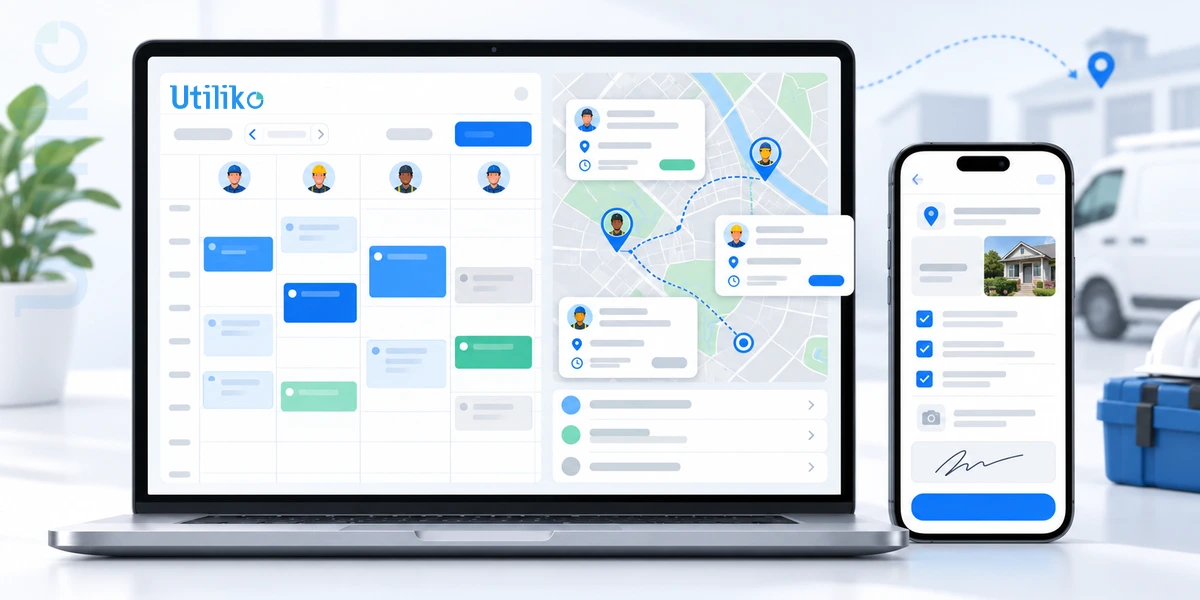 Home service Field Management Software: The Complete 2026 Guide for US Service Businesses
Running a field service business means keeping a lot of moving parts on track. Jobs need to be…
Home service Field Management Software: The Complete 2026 Guide for US Service Businesses
Running a field service business means keeping a lot of moving parts on track. Jobs need to be…
 Blog How to Choose the Best CRM for Sales Team
A rep runs a great discovery call on Monday. By Thursday, nobody can say for certain who owns…
Blog How to Choose the Best CRM for Sales Team
A rep runs a great discovery call on Monday. By Thursday, nobody can say for certain who owns…