

Blog
7 Best HVAC CRM Software in 2026

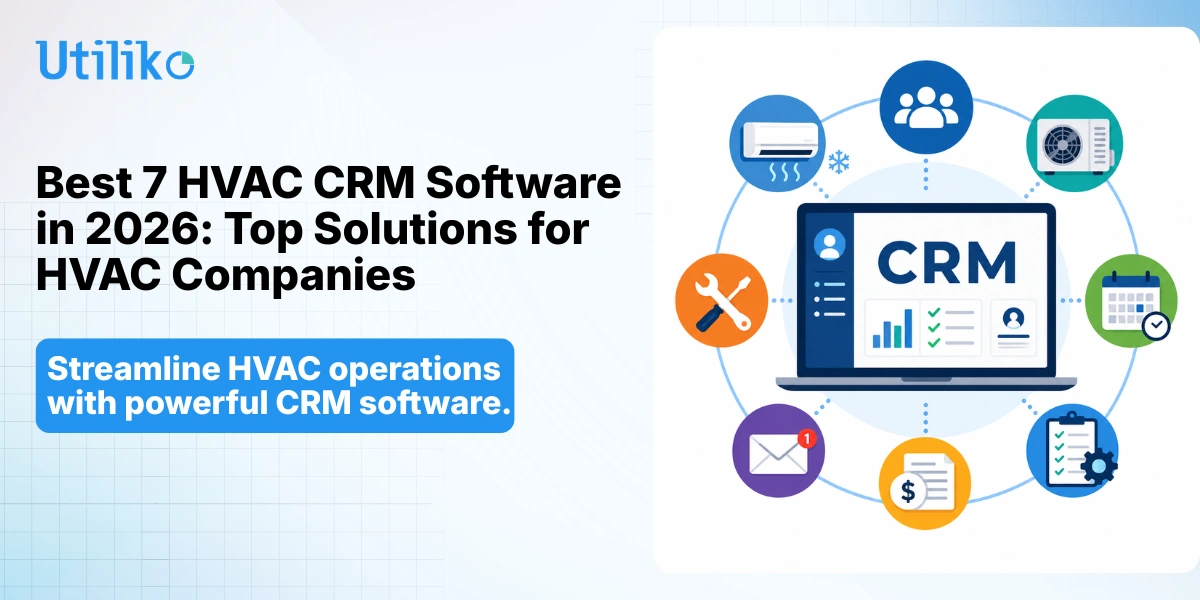
Running an HVAC business today means juggling far more than heating and cooling repairs. You’re coordinating technicians across town, tracking maintenance agreements that renew on different dates, chasing quotes that homeowners are comparing against two other contractors, and trying to keep every customer’s equipment history straight. When that information lives in a spreadsheet, a shared inbox, and a dispatcher’s memory, jobs slip and revenue leaks quietly out the back door.
That’s the exact problem the best HVAC CRM software is built to solve. A purpose-built CRM software for HVAC companies centralizes customer data, automates scheduling and dispatch, manages recurring service agreements, and connects the office to the field in real time. Generic sales CRMs often fall short here — they have no concept of a dispatch board, a technician’s certification, or a seasonal tune-up that needs to be scheduled automatically.
This guide breaks down how we evaluated the market, compares the best CRM platforms for HVAC companies in 2026, and shows you where most contractors overpay without realizing it.
How We Evaluated These Platforms
We reviewed each platform as HVAC business management software first, and a sales database second — because that’s how HVAC owners actually use it. Our evaluation, last updated July 2026, weighed eight criteria:
- Equipment and service history — Does the CRM track installed units, warranties, and service records by address, not just by contact name?
- Scheduling and dispatch — Can it assign the right technician to the right job in real time, including emergency calls?
- Maintenance agreement management — Does it automate renewals and recurring visits?
- Mobile reliability — Is the field app something a technician will actually use on-site?
- True total cost — What does the platform cost once required add-ons are included, not just the advertised starting price?
- QuickBooks and accounting sync — Does it eliminate double data entry?
- Onboarding time — How fast can a 5–50 person team actually go live?
- Scalability — Does it still make sense at 3x the current technician count?
Pricing throughout this guide reflects publicly reported rates as of mid-2026 and is meant for planning, not as a final quote — vendors change plans often, and add-ons can raise the real monthly cost well past the advertised number. Confirm current terms directly with each vendor before budgeting.
Why HVAC Companies Need CRM Software
Better Customer Relationship Management
HVAC relationships span years and multiple systems. The best crm for HVAC business use cases keeps full customer history, service records, and equipment details in one place, and automated reminders make sure no maintenance visit or seasonal check-in gets forgotten.
Faster Scheduling and Dispatching
Summer AC failures and winter heating emergencies create sudden demand spikes. Real-time technician assignment, route optimization, and emergency-call handling let dispatchers respond quickly without double-booking crews or sending an unqualified tech to a complex job. This is where dedicated field service management software for HVAC contractors earns its keep — a generic contact database simply wasn’t built to run a dispatch board during an August heat wave.
Increased Revenue Through Maintenance Plans
Membership and maintenance plans are among the most stable revenue an HVAC business can build. Good HVAC management software automates renewals, schedules recurring service reminders, and surfaces upselling opportunities — turning one-time repairs into predictable annual revenue. We’ll walk through the actual math on this further down.
Reduced Administrative Work
Automated invoicing, digital estimates, and workflow automation remove the repetitive data entry that eats into office hours, freeing staff to focus on customers and growth instead of paperwork. It’s also one piece of a broader operating discipline — see our breakdown of HVAC business operations strategies for how CRM fits alongside scheduling, staffing, and financial process.
The Hidden Cost of a Fragmented HVAC Tech Stack
Here’s what most comparison guides skip: the real cost of “best CRM for HVAC companies” isn’t the sticker price of any single tool. It’s the cost of running five different subscriptions that don’t talk to each other.
A typical growing HVAC shop ends up with a CRM for customer records, a separate scheduling tool, a separate e-signature app for estimates, a separate time-tracking tool for payroll, and QuickBooks bolted on the side with manual reconciliation. Individually, each tool looks affordable. Stacked together, a 10-technician shop can easily be paying $400–$800/month across disconnected subscriptions — before counting the hours lost to re-keying the same customer information into three different systems.
That re-entry cost is the part nobody puts a number on. If an office manager spends even 30 minutes a day copying data between a scheduling app, an invoicing app, and a CRM, that’s over 120 hours a year — three full work weeks — spent on data entry instead of customer service or collections. This is the case for evaluating CRM software for HVAC companies as part of a single connected platform rather than picking the “best” tool in each category and hoping the integrations hold up.
Best CRM Platform for HVAC Companies: Quick Comparison
| Platform | Best For | Starting Price | Real Cost w/ Add-Ons | Mobile App | QuickBooks Sync | Free Trial |
|---|---|---|---|---|---|---|
| Utiliko | All-in-one growing HVAC teams (5–50) | Single flat subscription | No feature-locking or module upsells | Yes | Integrated | 14 days, no card |
| ServiceTitan | Large, multi-crew enterprises | Quote-based | ~$250–$400/tech/mo + $5K–$50K+ implementation | Yes | Yes | Demo only |
| Housecall Pro | Growing residential companies | ~$59/mo | $150–$400+/mo with GPS, QuickBooks tiers, add-ons | Yes | Mid-tier+ | 14 days |
| Jobber | Solo & small HVAC teams | ~$39/mo | $60–$150+/mo per-seat as team grows | Yes | Included | Yes |
| FieldCamp | Field scheduling & routing-first teams | Per-user, mid-tier | Confirm current rate; limited marketing tooling | Yes | Varies | Free trial |
| HubSpot CRM | Marketing/lead-nurture focused teams | Free tier | Jumps sharply past Starter tier | Yes | No native dispatch | Free tier |
| Zoho CRM | Budget-conscious, highly customizable | Free (3 users) | $14–$52/user/mo, dispatch needs add-ons | Yes | Via integration | Yes |
The 7 Best HVAC CRM Software Platforms in 2026
1. Utiliko — Best All-in-One HVAC CRM and Business Management Software
Overview: Utiliko is an all-in-one business management platform that combines CRM, scheduling, billing, e-signatures, time tracking, and project management in a single subscription. For HVAC contractors outgrowing spreadsheets but not wanting enterprise complexity, it’s built to be the best HVAC CRM software for teams that are tired of stitching together five disconnected tools. You can see the full breakdown of the platform’s HVAC CRM software capabilities, including how customer, equipment, and job data stay connected in one record.
Key Features:
- CRM with centralized customer and equipment records, including a crm with hvac equipment tracking capabilities across every installed unit and service address
- Scheduling and service management for field teams
- Digital estimates with e-signatures for fast approvals
- Automated invoicing, recurring invoices, and payment collection
- Billable time tracking and profit reporting
- Built-in import tools for contacts and records
Pros:
- Flat, all-inclusive pricing with no per-module feature-locking
- Fast onboarding, with most businesses operational within about a week
- Strong fit for teams of roughly 5–50, solving the fragmented-tool-stack problem directly
Cons:
- Not a heavy enterprise field service suite for very large multi-region operations
- For advanced accounting like payroll tax filing, integrates with QuickBooks rather than replacing it
Pricing: A single subscription unlocks the full platform, with a 14-day free trial and no credit card required to start.
Best For: Growing residential and light-commercial HVAC contractors who want the best crm platform for HVAC companies without paying for five separate subscriptions.
2. ServiceTitan — Best Enterprise HVAC CRM Software
Overview: ServiceTitan is the enterprise standard for large HVAC, plumbing, and electrical companies, offering deep operational control across dispatching, marketing, and reporting.
Key Features:
- Advanced dispatching with a live board and GPS tracking
- Membership and maintenance-agreement management
- Call booking and marketing attribution
- Inventory management and technician scorecards
- In-field financing for high-ticket installs and revenue tracking
Pros:
- Unmatched depth for large, multi-crew operations
- Strong ROI for high-ticket HVAC replacement work
Cons:
- Per-technician pricing plus add-on modules gets expensive fast
- Long, costly implementation; the vendor states it isn’t optimized for very small teams
Pricing: Quote-based and not published; user reports commonly cite roughly $250–$400 per technician per month, plus implementation fees that can run from several thousand to $50,000+.
3. Housecall Pro — Best HVAC Service Software for Small Business Growth
Overview: Housecall Pro is a popular mid-market platform that balances features and price for HVAC shops running anywhere from one truck to a couple dozen technicians.
Key Features:
- Drag-and-drop scheduling and dispatch
- Online booking and automated reminders
- AI-assisted call answering and job booking
- Marketing automation, review management, and payments
- Flat-rate price book and “Good-Better-Best” sales proposals
Pros:
- Approachable interface with strong customer-communication tools
- Sales proposal tools that can lift average ticket size on installs
Cons:
- Key features like QuickBooks sync and GPS require the mid-tier plan
- Many capabilities are paid add-ons that raise the real monthly cost
Pricing: Reported plans start around $59/month (Basic), roughly $149/month (Essentials), and about $329/month (MAX), with additional users and add-ons extra.
4. Jobber — Best CRM for Small HVAC Businesses
Overview: Jobber is a clean, easy-to-adopt platform aimed at solo operators and small HVAC teams that want core CRM, scheduling, and invoicing without complexity.
Key Features:
- Client management and a customer self-service hub
- Estimates, invoices, and online payments
- Drag-and-drop scheduling with GPS routing
- QuickBooks integration included across tiers
- Well-rated mobile app for iOS and Android
Pros:
- Fast setup — many teams go live within a day
- Transparent, published pricing and month-to-month plans
Cons:
- Lighter on HVAC-specific tooling and advanced reporting
- Per-seat pricing can add up as the team grows
Pricing: Reported plans start around $39/month (Core), roughly $129/month (Connect), and about $249/month (Grow).
5. FieldCamp — Best for Field Scheduling and Routing
Overview: FieldCamp focuses on field service management essentials — scheduling, routing, and work orders — for HVAC contractors who prioritize getting technicians to the right place efficiently.
Key Features:
- GPS tracking and route optimization
- Technician management and work-order automation
- Customer database and scheduling tools
- Mobile access for field crews
Pros:
- Straightforward, field-first workflow
- Useful for teams whose main pain point is routing and dispatch
Cons:
- Lighter marketing and pipeline tooling than broader CRMs
- Reporting depth trails enterprise platforms
Pricing: Per-user, mid-tier pricing with a free trial; confirm current rates directly, as plans change.
6. HubSpot CRM — Best Sales CRM for HVAC Companies Focused on Marketing
Overview: HubSpot is a marketing-first CRM, and arguably the best sales crm for HVAC companies that are focused on lead nurturing, email campaigns, and long-term customer retention rather than field dispatch.
Key Features:
- Email marketing and lead nurturing
- Sales pipelines and deal tracking
- Customer segmentation and marketing automation
- Free tier with generous contact management
Pros:
- Clean, easy-to-learn interface with fast adoption
- Excellent marketing and lead-generation tooling
Cons:
- No native scheduling, dispatching, or job costing for field work
- Costs climb quickly beyond the free and Starter tiers
Pricing: Free CRM tier available; paid Sales Hub plans start around $15/user/month and rise sharply at Professional and Enterprise levels, sometimes with onboarding fees.
7. Zoho CRM — Best Budget-Friendly HVAC CRM
Overview: Zoho CRM is a highly customizable, low-cost platform for budget-conscious HVAC businesses that want CRM depth without field-service pricing.
Key Features:
- Custom modules and Blueprint workflow automation
- Zia AI assistant for lead scoring and suggestions
- Broad Zoho ecosystem connecting accounting, projects, and support
- Competitive per-user pricing and a free tier
Pros:
- Among the most affordable options with strong customization
- Free plan for up to three users
Cons:
- General-purpose CRM — dispatch and job costing need add-ons or integrations
- Denser interface with a steeper configuration curve
Pricing: Free for up to 3 users; paid plans reported from about $14/user/month (Standard) up to roughly $52/user/month (Ultimate) on annual billing.
Score It Yourself: The HVAC CRM Buyer Checklist
Before you book a demo, score each platform 0–5 against the criteria that actually determine whether a CRM sticks in your business. Bring this list into every sales call:
| Criteria | What to test | Score |
|---|---|---|
| Equipment & service history | Can it track make, model, install date, and warranty by address? | |
| Dispatch & scheduling | Can it reassign an emergency call in under 2 minutes? | |
| Maintenance agreements | Does it auto-schedule recurring visits and flag renewals? | |
| Mobile reliability | Does the field app work on the phones your techs actually carry? | |
| True total cost | What’s the monthly cost with every required add-on included? | |
| QuickBooks sync | Does it eliminate double entry, or just partially sync? | |
| Onboarding time | How many days until the office and field team are both live? | |
| Scalability | Does it still make sense at 3x your current technician count? |
A platform scoring low on two or more of these — especially total cost and equipment tracking — is usually the one that gets replaced within 18 months.
How to Choose the Best CRM for Your HVAC Business
For Solo HVAC Contractors
Recommended: Jobber or Zoho CRM — low cost, fast setup, and enough structure to look professional and get paid reliably. If you’re specifically weighing the best hvac service software for small business use, prioritize speed of setup over depth of features at this stage.
For Small Teams (2–10 Technicians)
Recommended: Housecall Pro, FieldCamp, or Utiliko — the sweet spot of scheduling, invoicing, and automation without enterprise overhead.
For Growing Businesses (10–50 Technicians)
Recommended: ServiceTitan for high-volume operations, HubSpot for marketing-led growth, or Utiliko for teams that want one connected system as they scale rather than adding another point solution every time they outgrow a feature.
For Multi-Site or Commercial-Heavy Operations
Recommended: Look specifically for a crm with hvac equipment tracking capabilities that can handle multiple service addresses under one commercial account — a residential-first CRM will flatten a five-building client into a single contact card and lose the equipment history that matters for repeat commercial contracts.
Questions to Ask Before Buying
- Does it support maintenance contracts and recurring service?
- Is there a genuinely usable technician mobile app?
- Does it integrate with QuickBooks and your payment processor?
- Can it automate reminders, follow-ups, and invoicing?
- Will it scale as your team and job volume grow?
The Maintenance Plan Math: Why This Feature Alone Can Justify the Subscription
Maintenance agreements are the highest-leverage feature in any HVAC CRM, and the math is straightforward enough to run yourself. Say your shop closes 20 maintenance plans a month at $200/year each. That’s $4,000/month in new recurring revenue — but only if renewals actually get scheduled and billed on time.
Without automation, a typical shop loses 15–20% of maintenance plans to missed renewals: a tech forgets to flag it, the office doesn’t follow up, the customer churns quietly. On a $4,000/month plan base, that’s $600–$800/month in preventable revenue leakage — often more than the CRM subscription itself. HVAC management software that automates renewal tracking and recurring visit scheduling isn’t a nice-to-have here; for most shops, it pays for the platform on its own.
Common Mistakes When Choosing HVAC CRM Software
Choosing Generic CRM Tools
Sales-oriented CRMs lack dispatch, work orders, and maintenance-agreement tools, forcing HVAC teams into manual workarounds.
Ignoring Mobile Accessibility
Most of your team works on-site. A weak or unreliable mobile app undermines the entire system, so test it on the devices your techs actually carry.
Overlooking Dispatch Features
Dispatching is the daily heartbeat of an HVAC operation. Skipping a close look at scheduling logic is one of the most expensive oversights.
Focusing Only on Sticker Price
The cheapest sticker price often hides add-on costs. Evaluate total cost of ownership, including implementation, add-ons, and payment processing — see the fragmented-stack math above.
Not Planning for Future Growth
A platform that fits five technicians should still make sense at twenty. Choosing for today only can force a disruptive switch later, which is one reason to weigh CRM decisions as part of your broader HVAC business operations strategy rather than in isolation.
What Growing HVAC Teams Say After Switching
HVAC contractors who consolidate onto a single platform consistently report the same result: fewer hours spent re-entering the same job into three systems, and fewer maintenance renewals falling through the cracks. Utiliko’s case studies walk through specific before-and-after numbers from home service businesses that made the switch from a disconnected stack to one connected system.
Conclusion
Choosing HVAC CRM software isn’t just a software decision — it’s a decision about how your business will run for the next several years. The right platform should match your current size and workflows while leaving room to scale as your crew, client base, and service lines grow. Long-term scalability, true total cost, and automation matter more than any single feature on a comparison chart.
HVAC businesses evaluating modern CRM platforms for their operations can explore Utiliko’s HVAC CRM software to see how a connected system centralizes customer data, automates scheduling and invoicing, and helps office and field teams collaborate more effectively — without paying for five subscriptions they’ll never fully use.
Key Takeaways
- The best HVAC CRM software combines customer management with field service operations, not just contact storage.
- The real cost of a CRM is the total cost of your stack, not the sticker price of one tool.
- A reliable technician mobile app is critical, since most work happens on-site.
- Maintenance agreement automation alone often pays for the subscription by preventing renewal leakage.
- Larger and multi-site operations need a crm with hvac equipment tracking capabilities, not a flattened contact database.
- Scalability should shape the decision as much as current features — choose for where your business is headed.
Ready to simplify how you manage customers, technicians, and maintenance agreements?
Start your free trial today and discover how a modern HVAC CRM can help your business work smarter.
FAQs
What is the best HVAC CRM software in 2026?
There’s no universal best — it depends on your size and goals. Utiliko suits growing all-in-one needs, ServiceTitan fits large enterprises, Housecall Pro and Jobber serve small-to-mid shops, and Zoho is the budget pick.
What features should the best crm software for HVAC companies include?
At minimum: customer and equipment history, scheduling and dispatch, maintenance-agreement management, digital estimates and invoicing, a strong mobile app, and automated follow-ups.
How much does HVAC management software cost?
It ranges widely. Entry platforms start around $39–$59/month, mid-market plans run roughly $129–$329/month, and enterprise systems like ServiceTitan are quote-based, often $250–$400 per technician per month plus implementation. Always price the total stack, not just the advertised starting rate.
Is HVAC CRM worth it for small businesses?
For most growing shops, yes. The time saved on scheduling, follow-ups, and invoicing typically outweighs the subscription cost within the first few months of consistent use — and maintenance-plan renewal automation alone often covers the cost.
What’s the difference between HVAC CRM and field service management software?
A CRM centers on customer relationships and sales; field service management software centers on scheduling, dispatch, and work orders. Many modern HVAC platforms combine both in one system.
Can HVAC CRM software help manage maintenance agreements?
Yes. Purpose-built HVAC CRMs track renewal dates, automatically schedule included visits, and flag upsell opportunities — turning one-time repairs into recurring revenue.
Does HVAC CRM software integrate with QuickBooks?
Most leading platforms — including Utiliko, ServiceTitan, Housecall Pro, and Jobber — offer QuickBooks integration to sync invoices, payments, and customer records and avoid double data entry.
What is a crm with hvac equipment tracking capabilities, and why does it matter?
It’s a CRM that logs installed units by make, model, serial number, install date, and warranty status against a specific service address — not just a customer name. This matters most for commercial and multi-site accounts, where a flattened contact record loses the equipment context technicians need on every visit.

More articles
 Home service Field Management Software: The Complete 2026 Guide for US Service Businesses
Running a field service business means keeping a lot of moving parts on track. Jobs need to be…
Home service Field Management Software: The Complete 2026 Guide for US Service Businesses
Running a field service business means keeping a lot of moving parts on track. Jobs need to be…
 Blog How to Choose the Best CRM for Sales Team
A rep runs a great discovery call on Monday. By Thursday, nobody can say for certain who owns…
Blog How to Choose the Best CRM for Sales Team
A rep runs a great discovery call on Monday. By Thursday, nobody can say for certain who owns…
 Blog The Complete CRM Comparison Guide: How to Compare CRM Software and Choose the Right One
Seventy percent of CRM implementations fail — not because the software is bad, but because businesses chose the…
Blog The Complete CRM Comparison Guide: How to Compare CRM Software and Choose the Right One
Seventy percent of CRM implementations fail — not because the software is bad, but because businesses chose the…