

Field Management Software: The Complete 2026 Guide for US Service Businesses

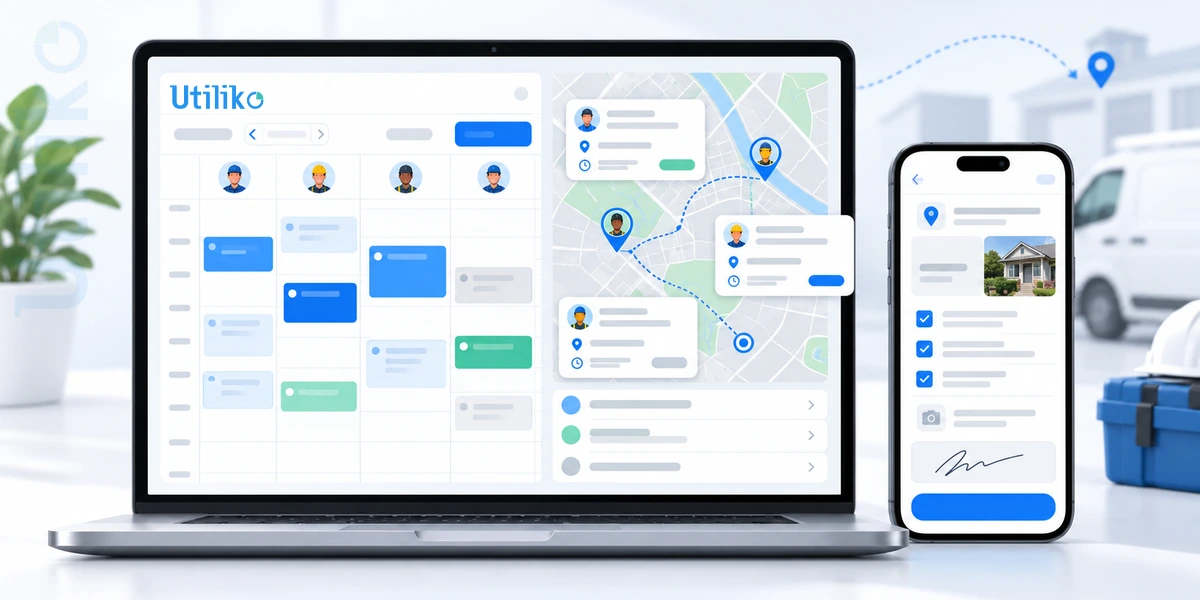
Field management software brings those pieces into one connected workflow. It helps service businesses schedule jobs, dispatch technicians, manage work orders, track work in the field, and invoice customers without relying on a patchwork of spreadsheets, texts, calls, and paper.
In this guide, we’ll look at what field management software does, which features matter, what it typically costs, and how to choose a system that fits the way your business actually works.
Key takeaways
- Field management software connects scheduling, dispatch, work orders, mobile updates, and invoicing in one workflow.
- It can help reduce double-bookings, repeat visits, paperwork, and delays between completing a job and getting paid.
- The essentials include scheduling and dispatch, a strong mobile experience, work orders, customer history, invoicing, reporting, and integrations.
- The best system is not the one with the longest feature list. It is the one your team can use consistently and that fits your workflow.
- Standalone field service tools go deeper into field operations. All-in-one platforms connect field work with CRM, billing, and other business processes.
- Verdantix valued the FSM software market at $4.7 billion in 2024 and forecasts it to reach $9.2 billion by 2030.
What is field management software?
Field management software gives your office and field teams one place to manage work happening at customer locations. Instead of keeping schedules in one tool, customer notes in another, and job updates in texts or paper forms, the work moves through a shared digital workflow.
A typical example is a plumbing company handling a water heater repair. A customer calls. The dispatcher creates the job, finds an available plumber, and sends the technician the address, job notes, and customer history. The plumber updates the job from a phone, adds photos, captures the customer’s signature, and closes the work order. The invoice can then be sent without someone re-entering the same information.
That is the real value of field management software: less time coordinating the work and more visibility into what is happening.
Who uses field management software?
If your business sends technicians or crews to customer locations, field management software can help. Common users include:
- HVAC, plumbing, and electrical contractors
- Landscaping, lawn care, and snow removal companies
- Commercial and residential cleaning businesses
- Roofing, solar, and home improvement installers
- Pest control and property maintenance companies
- Security, telecom, and IT field service teams
Some platforms are built for a specific trade, while broader systems support several service lines. The right approach depends on how specialized your workflows are and how many systems you want your team to manage.
What features should field management software include?
The strongest field management platforms connect the entire job lifecycle, from the initial request to the final payment. Use these capabilities as a starting point when evaluating software.
| Feature | What it does | Why it matters |
|---|---|---|
| Scheduling and calendar | Assigns jobs based on skill, location, and availability, with drag-and-drop changes and recurring visits. | Helps reduce double-booking and idle time. |
| Dispatch and routing | Assigns technicians, shares job details, and supports maps and route planning. | Helps reduce drive time and unnecessary travel. |
| Mobile app with offline mode | Lets technicians view jobs, update status, add notes and photos, even with a weak signal. | Keeps field information accurate and up to date. |
| Work orders and checklists | Creates structured job tickets with required steps and fields. | Improves consistency and first-visit completion. |
| Customer records and service history | Keeps contacts, equipment, past jobs, and notes in one profile. | Gives technicians the context they need. |
| Estimates and e-signatures | Builds quotes in the field and captures customer approval. | Speeds up approvals and reduces paperwork. |
| Invoicing and payments | Turns completed work into invoices and supports payment collection. | Helps shorten the path from completed work to cash. |
| Time tracking and GPS | Records hours, mileage, and technician location. | Supports accurate billing and payroll. |
| Inventory and parts | Tracks parts in trucks and warehouses. | Helps prevent avoidable return trips. |
| Customer notifications | Sends appointment reminders and arrival updates; some systems also offer customer portals. | Keeps customers informed and reduces inbound calls. |
| Reporting and dashboards | Shows job volume, utilization, revenue, and completion data. | Makes bottlenecks easier to spot. |
| Integrations | Connects with accounting, calendars, email, payments, and other business tools. | Reduces duplicate data entry. |
How does field management software work?
Think of field management software as the workflow behind every job. Instead of treating scheduling, field work, and billing as separate tasks, the system keeps them connected.
- Request comes in. A call, web form, or email creates the customer record and job.
- Job is scheduled. The system uses availability, skills, and location to help assign the work.
- Technician is dispatched. The technician gets the address, notes, checklist, and customer history on a mobile device.
- Work is updated. Status, photos, parts, and time are captured from the field.
- Job is completed. The customer signs off and the work order is closed.
- Invoice is sent. The completed work provides the information needed to create and send the invoice.
- Results are reviewed. Managers use utilization, revenue, and completion data to improve future scheduling and operations.
How does field service software transform your business?
The biggest shift is not simply moving from paper to software. It is connecting the steps between the customer request and the final payment.
Operations become easier to manage when dispatchers can see schedules, routes, and job details in one place. Technicians spend less time calling the office for information, and managers have a clearer view of what is happening in the field.
The customer experience improves, too. Accurate arrival windows, appointment reminders, faster estimates, and better access to service history can make the entire process feel more organized.
And when job details, time, and materials are captured as the work happens, invoicing does not have to wait until someone has time to catch up.
Go deeper: Read our companion guide, “Field Service Software Transforms Your Business: Features and Benefits,” for a closer look at how these capabilities affect day-to-day operations.
What are the benefits of field management software?
The benefits show up where field service teams feel the most pressure: scheduling, productivity, customer communication, and cash flow.
- Many businesses still rely on manual processes. Software Advice reports that 36% of the software buyers it speaks with still use methods such as phone calls, spreadsheets, and paper forms.
- First-time fix rate matters. Aquant’s 2025 Field Service Benchmark reported a median first-time fix rate of about 75% over a 30-day window, with top performers near 86% and the bottom group near 53%.
- Repeat visits can come from missing parts, technician skill gaps, or insufficient scheduled time. Better scheduling, skills matching, and parts tracking can help address those issues.
- The FSM software category continues to grow. Verdantix estimates global spending at $4.7 billion in 2024 and forecasts $9.2 billion by 2030, with North America representing about 40% of 2024 spend. Other publishers report different estimates, so market figures should be treated as directional.
How do you know when you need field management software?
You do not need to wait until your operation is completely overwhelmed. A few recurring process problems can be a good signal that it is time to evaluate your options.
- Jobs are double-booked or technicians arrive without the information they need.
- Dispatchers spend hours on calls and texts to reschedule work.
- Technicians complete paper forms that someone has to re-enter later.
- Invoices go out days or weeks after the work is completed.
- Managers do not have a clear view of technician activity or job status.
- Customers regularly call to ask when a technician will arrive.
- Repeat visits happen because parts, skills, or job information were missing.
- Customer history is spread across multiple tools, spreadsheets, and inboxes.
- The business is growing faster than the current process can handle.
A useful rule of thumb: if three or more of these problems sound familiar, it is worth putting a few platforms through a real workflow test.
How do you choose the right field management software?
Start with the way your business works today. Then test whether each platform can make that workflow easier, faster, and more visible. A long feature list is not a substitute for a system your team will actually use.
| Criteria | Questions to ask | Red flags |
|---|---|---|
| Workflow fit | Does it support your job types, recurring visits, estimates, and approvals? | You have to redesign your process around the software. |
| Mobile experience | Is the app fast and easy to use? Does it work offline? | Technicians struggle with basic actions during the demo. |
| Scheduling and dispatch | Can you reassign work quickly and see the team on a map? | Simple schedule changes require workarounds. |
| Customer experience | Can it send reminders and arrival updates? | Customer communication remains manual. |
| Billing and accounting | Can you invoice from the job and connect with your accounting system? | Billing happens in a separate workflow. |
| Integrations and data | Can the system connect to your other tools? Can you export your data? | Limited integrations or unclear data ownership. |
| Ease of adoption | How long does setup take? What training is included? | The implementation process is heavy or unclear. |
| Support and reliability | What support is available and how quickly does the vendor respond? | Support is difficult to reach when the team needs help. |
Standalone field service software vs. all-in-one business software
The choice often comes down to depth versus connected workflows.
Standalone field service platforms typically go deeper into dispatch, routing, technician workflows, and trade-specific features. They can be a strong fit when field operations are highly complex.
All-in-one business platforms connect field work with CRM, invoicing, project management, HR, and other business processes. That can reduce the number of systems your team has to maintain and make it easier to keep customer information connected from sale to service.
| Standalone FSM tool | All-in-one business software | |
|---|---|---|
| Strength | Deep field-specific features and industry templates. | Connects the customer journey from lead to job to invoice, with fewer logins. |
| Trade-off | May require separate CRM, accounting, project, and HR tools. | Field features may be lighter than a specialist platform for very complex dispatch. |
| Best for | Teams with highly complex dispatch and routing needs. | Small and midsize businesses that want sales, service, billing, and people management connected. |
| Watch for | Integration costs and duplicate data entry. | Make sure scheduling, mobile, and job features meet your operational needs. |
If you are also comparing CRM-first platforms, see how Utiliko stacks up in our comparison guides.
Field management software compared: how each platform eases your business
There is no single best platform, only the best fit for the problem you need to solve. Some tools make dispatch easier, some make billing faster, and some keep equipment running. The biggest difference is scope: does the platform handle one part of the work, or the whole business?
| Platform and type | Best for | How it eases the business |
|---|---|---|
| Utiliko All-in-one business management software |
Small and midsize businesses that want one platform instead of many separate apps | One login covers CRM, client and vendor management, accounting, recurring invoices, payments, projects, support tickets, HR, and time tracking. A mobile app shows where field staff are and alerts them to assigned work orders. Estimates and contracts can be signed electronically, and a business phone system is integrated through a partner. |
| Jobber Home-service field management |
Home and field service businesses such as HVAC, cleaning, landscaping, and plumbing | A color-coded drag-and-drop calendar helps assign crews. Invoicing takes a few clicks, and card payments are positioned as up to three times faster to collect. Accounting and payroll connect through tools such as QuickBooks Online and Gusto. |
| Coast Maintenance and asset-focused |
Teams managing maintenance work orders, assets, and preventive maintenance | Technicians manage work orders from a mobile app and scan a QR code to see an asset’s history and warranty details. Parts inventory adjusts as work orders are used. |
| ServiceMax (PTC) Asset-centric enterprise field service |
Equipment-centric service organizations | Technicians see an asset’s service history, required parts, and entitlement and contract details before the job. Installed-base data stays available without a connection. |
| ServiceNow Enterprise workflow platform |
Large organizations with complex field operations | Dynamic Scheduling assigns work by skills, parts, location, and availability, and reassigns it automatically when a technician falls behind or an urgent job comes in. |
| Zuper Configurable mid-market field service |
Mid-market and enterprise field service companies such as roofing, HVAC, plumbing, and electrical | Automated dispatch by skills, availability, and location, customizable checklists, and an offline-capable mobile app. CRM connects through integrations such as its HubSpot app. |
Where Utiliko is different. Most platforms in this comparison go deep on one part of service work, such as quoting, assets, or dispatch. ServiceNow spans departments, but as an enterprise platform with enterprise-scale implementation. Utiliko goes wide for small and midsize businesses: CRM, accounting, projects, support tickets, HR, time tracking, field tracking, and an integrated business phone system share one customer record, so a call, a job, an invoice, and a support ticket live in the same place. If you need the deepest dispatch or asset tools, a specialist may serve you better. If your problem is running a business across too many disconnected tools, Utiliko is built for that.
Which platform eases your biggest problem?
| If your biggest problem is… | Look at… |
|---|---|
| Too many disconnected tools across sales, service, billing, and HR | Utiliko |
| Quoting, scheduling, and getting paid fast for a small home-service crew | Jobber |
| Keeping equipment running with preventive maintenance and asset history | Coast, ServiceMax |
| Automated dispatch at enterprise scale | ServiceNow |
| Enforced checklists and configurable dispatch for a mid-market team | Zuper |
Pick the problem that costs you the most time or money, shortlist two or three platforms, and test them against a real job. Last reviewed: October 2026. Features change, so confirm details with each vendor.
How much does field management software cost?
There is no single price for field management software. Cost depends on team size, features, pricing structure, and the level of implementation support you need.
- Per user per month: every licensed user is billed.
- Per technician or field user: pricing is based primarily on the people using the field functionality.
- Tiered plans: higher plans unlock additional automation, integrations, reporting, or capacity.
- Add-ons: inventory, payments, advanced routing, or customer portals may cost extra.
- One-time fees: setup, migration, and training may be separate costs.
When you compare quotes, look beyond the subscription price. Ask about user minimums, contract terms, payment processing fees, implementation, training, data export, and how pricing changes as your team grows.
How do you roll out field management software successfully?
A successful rollout does not have to mean changing everything at once. Start with the biggest operational problem, prove the workflow, and expand from there.
- Define the goal. Pick two or three problems to solve first, such as scheduling errors or slow invoicing.
- Clean your data. Import customers, services, and price lists, and remove duplicates.
- Run a pilot. Start with one crew or service line and collect feedback.
- Train on the basics. Focus first on viewing jobs, updating status, adding photos, and capturing signatures.
- Roll out in stages. Add more crews, then introduce invoicing and automation.
- Review the results. Track on-time arrival, repeat visits, days to invoice, and technician utilization.
For a small team, a four- to six-week rollout is a reasonable planning window. Larger teams and complex migrations may take longer.
What trends are shaping field management software?
Field service is becoming more connected, mobile, and automated. Four trends are especially relevant for US service businesses:
- AI-assisted scheduling and routing can help suggest assignments based on skills, location, and job length.
- Mobile-first workflows let technicians quote, document work, update jobs, and capture signatures from the field.
- Customer self-service through portals and automated updates can reduce routine inbound calls.
- Connected business data is becoming more important as companies look to link customer records, field work, invoices, payroll, and other operational data.
Is field management software right for your business?
If your team coordinates multiple technicians, locations, or appointments, field management software is worth evaluating. Start with the bottleneck that is costing you the most time or money, then test two or three platforms against a real job.
If your business also needs sales, billing, and customer information connected to field operations, an all-in-one platform can simplify the workflow. Utiliko brings scheduling and task management, GPS and time tracking, job checklists, e-signatures, CRM, and invoicing into one system, so the customer record can follow the job from the first conversation through final payment.
Next step: See how Utiliko handles scheduling, mobile work orders, and invoicing in one platform. Book a demo or talk to our team.
Frequently asked questions
What is field management software?
Field management software helps service businesses schedule jobs, dispatch technicians, manage work in the field, and invoice customers. It gives office and field teams a shared view of jobs, customers, and billing.
What does field service management software do?
It connects scheduling, dispatch, work orders, customer records, time tracking, invoicing, and reporting. Technicians can access job information from the field while managers track progress from the office.
Who needs field management software?
Any business that sends technicians or crews to customer locations can benefit, including HVAC, plumbing, electrical, landscaping, cleaning, roofing, solar, and installation companies. It becomes especially useful as spreadsheets and manual processes become harder to manage.
Is field service software worth it for a small business?
For many small businesses, yes. If double-bookings, paperwork, repeat visits, or delayed invoices are taking time away from the business, software can help bring those processes under control. A pilot is a practical way to test the value before a wider rollout.
How much does field management software cost?
Pricing varies by vendor, users, features, and pricing model. Common approaches include per-user, per-technician, and tiered plans, with some features offered as add-ons. Get quotes based on your actual team size and ask about implementation and data export.
What is the difference between field service management software and a CRM?
A CRM manages leads, customers, and sales activity. Field service software manages scheduling, dispatch, work orders, and technician activity. An all-in-one platform can connect the two so customer information continues from sales into service and billing.
What features are most important?
Start with scheduling and dispatch, a reliable mobile app, work orders and checklists, customer history, estimates and e-signatures, invoicing, time tracking, reporting, integrations, and offline capability.
How long does it take to implement field management software?
A small team can often go live in about four to six weeks with a pilot, basic training, and a staged rollout. Larger organizations or complex data migrations may take longer.

More articles
 Sales Best CRM for Small Business in 2027
Introduction: The Cost of Managing Customers Across Too Many Tools A potential customer submits an inquiry, but the…
 Solutions 7 Best Jobber Alternatives for Field Service Businesses in 2026
Jobber is a popular choice for home service businesses that need to manage scheduling, estimates, invoicing, and customer…
 Blog How to Choose the Best CRM for Sales Team
A rep runs a great discovery call on Monday. By Thursday, nobody can say for certain who owns…