

Blog
The Complete CRM Comparison Guide: How to Compare CRM Software and Choose the Right One

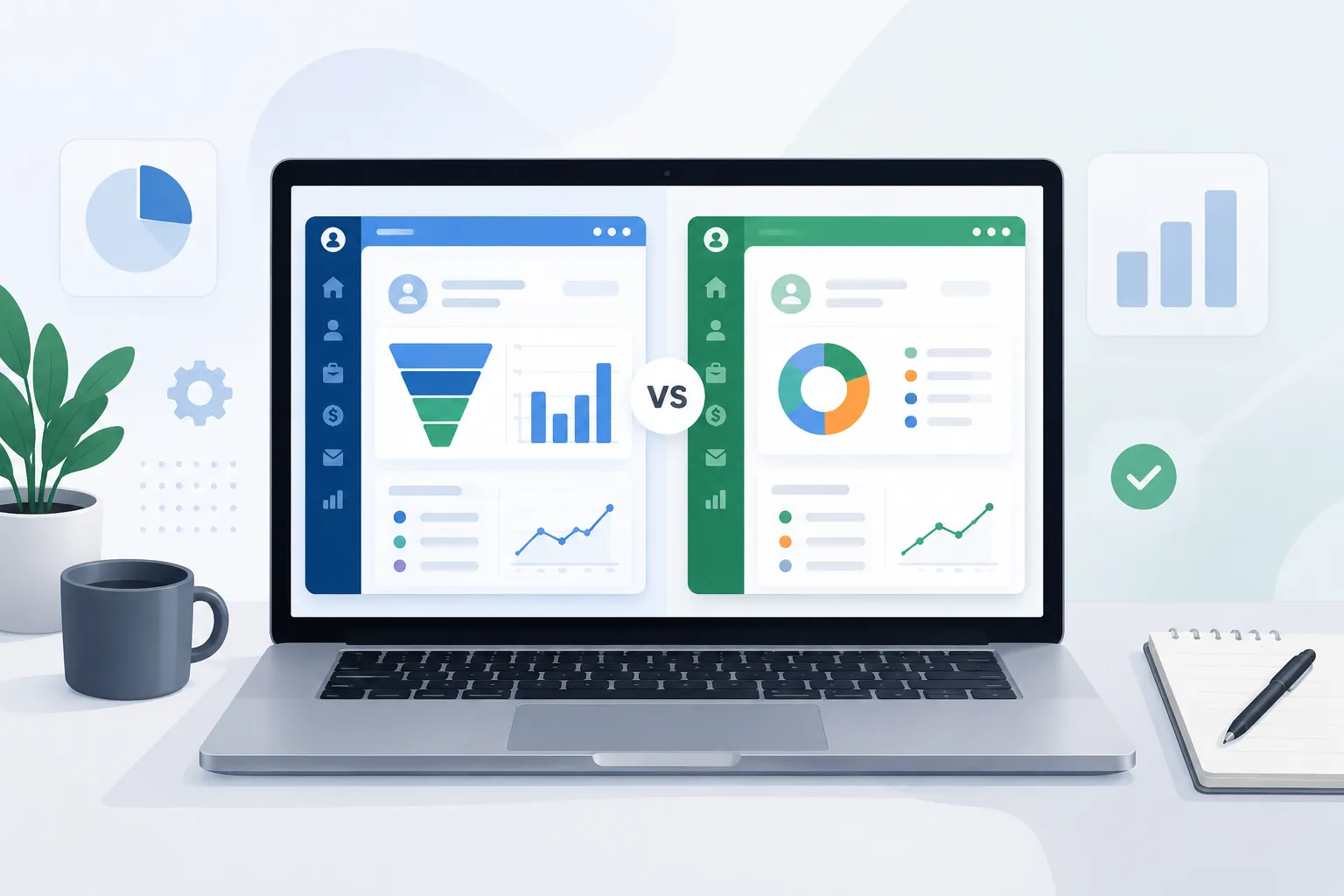
Seventy percent of CRM implementations fail — not because the software is bad, but because businesses chose the wrong one. If you’ve ever sat through a polished demo, signed a contract, and then spent six months watching your sales team ignore the system entirely, you already know the problem. A CRM comparison guide isn’t just a checklist exercise. It’s the difference between a tool your team lives in and one that becomes a very expensive contacts spreadsheet.
This guide walks you through exactly how to compare CRM software — from feature requirements to total cost of ownership to the questions that separate great vendors from great marketers. Whether you’re evaluating a Salesforce CRM comparison, a HubSpot CRM comparison, or a Zoho CRM comparison, the same framework applies to any CRM platform comparison.
Why Your CRM Comparison Guide Needs to Start With a Business Audit — Not a Feature List
Most CRM comparisons begin in the wrong place. A vendor’s website lists 200 features. You compare those features against another vendor’s 200 features and try to decide which 200 is better. The result? You optimize for features you’ll never use and overlook the gaps that will cost you daily.
Before you open a single comparison of CRM software, answer these foundational questions:
- What is broken right now? Leads slipping through? No pipeline visibility? Manual follow-ups eating your reps’ time?
- Who uses the CRM? Sales only? Marketing, customer success, and ops too?
- How do you sell? Short transactional cycles or long relationship-based deals?
- What does your tech stack look like? What does the CRM need to connect to on day one?
- How much of your team actually adopted the last system?
The answers to these questions become your evaluation rubric. Everything else is noise.
“CRM software has become overengineered, and complexity is killing its value.” — Forrester Research, 2025
What Are the Essential Features of a Sales CRM Tool?
Not all CRM features are created equal. Some are table stakes. Others sound impressive in demos but add friction in daily use. Here’s how to separate them into a clear CRM feature comparison.
Core Features Every Sales CRM Must Have
These are non-negotiable. If a platform is weak here, no amount of AI bells and whistles compensates:
- Contact and account management — Structured records for every prospect, customer, and organisation, with a full interaction history
- Pipeline and deal tracking — Visual pipeline stages that map to your actual sales process, not a generic template
- Task and activity management — Reminders, call logs, meeting notes, and follow-up scheduling built in
- Email integration — Two-way sync with Gmail or Outlook so reps never have to manually log communications
- Reporting and dashboards — Real-time pipeline value, conversion rates, and rep performance at a glance
- Mobile access — Full functionality on phone or tablet for field sales teams
Advanced Features That Separate Good from Great
Once core needs are met, these features determine whether a CRM scales with you:
- Workflow automation — Trigger sequences based on deal stage changes, form submissions, or inactivity
- Lead scoring — Prioritise which prospects deserve attention today
- Custom fields and objects — Mirror your actual business data, not a generic schema
- AI-assisted insights — Next best actions, churn risk flags, and deal health scores
- Role-based permissions — Control who sees what across departments and seniority levels
Features That Sound Great But Often Go Unused
Watch out for these in demos — they look impressive but rarely deliver ROI for SMBs:
- Overly complex territory management modules
- Built-in social listening with poor signal-to-noise ratios
- Predictive forecasting that requires 18+ months of clean historical data to be useful
What Are the Different Types of CRM Software?
Before you can run a meaningful CRM software comparison, it helps to know what you’re actually choosing between. Most vendors don’t fit neatly into one bucket, but understanding these categories will sharpen every comparison of CRM software you run from here on:
- Operational CRM — Automates sales, marketing, and service processes. This is the category most people mean when they say “CRM,” and it’s where Salesforce, HubSpot, and Zoho primarily compete.
- Analytical CRM — Prioritises data mining, forecasting, and customer behaviour analysis over day-to-day task management. Useful for data-mature teams; often overkill for a first CRM.
- Collaborative CRM — Focused on giving sales, marketing, and support shared visibility into the same customer record, so no department is working from stale information.
- All-in-one / operations CRM — Bundles CRM with adjacent operational tools, such as project management or invoicing, into a single platform rather than a standalone sales database.
Most SMB buyers need a strong operational CRM with collaborative features layered in — pure analytical CRM is rarely the right starting point unless you already have a dedicated data or RevOps function.
How to Compare CRM Software Prices: Understanding the Real Cost
The sticker price of any CRM is rarely what you’ll pay. Understanding how to compare CRM software prices means looking beyond the per-seat monthly cost and calculating true total cost of ownership (TCO) over a 24-month window. A surface-level CRM pricing comparison based on the homepage number alone is where most budgets go wrong — a proper CRM cost comparison has to account for everything below.
The Components of CRM Total Cost of Ownership
| Cost Category | What to Look For | Common Surprises |
|---|---|---|
| Licence fees | Per-seat vs. flat tiers | Price jumps between tiers can be steep |
| Implementation | Setup, data migration, configuration | Often 1–3× the annual licence cost |
| Training | Onboarding hours, video libraries, live sessions | Enterprise platforms can require weeks |
| Integrations | Native connectors vs. third-party middleware | Zapier or API costs add up quickly |
| Add-ons | Features locked behind higher tiers or paid extensions | AI features are often gated |
| Support | Ticket-based vs. dedicated CSM | Premium support can add 20–30% |
| Data storage | Per GB fees beyond included limits | CRMs storing documents hit limits fast |
What Is the Average Cost of a CRM System?
Here’s a realistic CRM cost comparison by segment:
- Free tier: HubSpot CRM Free, Zoho CRM Free (up to 3 users) — limited features, great for testing
- SMB range (per seat/month): $12–$65, depending on feature tier
- Mid-market: $65–$150 per seat/month, often includes automation and reporting
- Enterprise (Salesforce, etc.): $150–$300+ per seat/month before add-ons; implementation often $50K–$200K+
- All-in-one platforms: Flat monthly pricing that includes multiple modules can be more cost-effective for teams using 3+ tools
The average SMB implementing a mid-tier CRM spends 2.3× the annual software cost on implementation, integrations, and training in year one.
Key questions to ask vendors on pricing:
- What happens to our data if we downgrade or cancel?
- Are API calls metered or unlimited?
- What’s included in the onboarding fee — and what costs extra?
- Is pricing locked, or can it increase at renewal?
- What’s the minimum contract length?
CRM Software Comparison Table: Salesforce vs. HubSpot vs. Zoho vs. All-in-One Platforms
The Salesforce CRM comparison, HubSpot CRM comparison, and Zoho CRM comparison are the most-Googled evaluations — and for good reason. They represent three fundamentally different CRM philosophies, and together they anchor most CRM vendor comparison shortlists. Use the comparison matrix below to see how they stack up side by side.
| Criteria | Salesforce | HubSpot | Zoho CRM | All-in-One CRMs |
|---|---|---|---|---|
| Best for | Enterprise, complex sales | Inbound/marketing-led growth | Cost-conscious SMBs | Ops-heavy SMBs needing one tool |
| Starting price (paid) | ~$25/seat/mo (limited) | Free tier; paid from ~$20/seat | Free tier; paid from ~$14/seat | Flat monthly tiers |
| Ease of setup | Low — needs admin/consultants | High — self-service friendly | Medium | High — purpose-built |
| CRM feature depth | Very high | High (sales + marketing) | High | Medium-high |
| Customisation | Extremely high | Medium-high | High | Medium |
| Reporting | Advanced (add-on costs) | Strong, visual | Good | Varies |
| AI features | Einstein AI (gated) | Breeze AI (included) | Zia AI (included) | Varies by vendor |
| Integration ecosystem | Largest (AppExchange) | Strong (HubSpot App Marketplace) | Strong (Zoho Marketplace) | Selective but deep |
| Support quality | Tiered; premium costs extra | Good; enterprise tier best | Good for mid-tiers | Typically responsive |
| Ideal team size | 50+ users | 5–500 users | 1–200 users | 5–100 users |
| TCO (2-year estimate, 10 seats) | High ($40K–$100K+) | Medium ($10K–$40K) | Low ($5K–$20K) | Low-Medium |
Salesforce CRM Comparison: Power With a Price Tag
Salesforce is the gold standard for enterprise customisation and ecosystem depth. Its AppExchange has thousands of integrations, and its reporting engine is genuinely best-in-class. The trade-off: it requires dedicated Salesforce administrators, implementation is expensive, and the per-seat cost climbs fast as you add features. If your business runs complex, multi-stakeholder deal cycles and has the budget and internal resources to match, Salesforce earns its position. For lean teams or businesses under 50 seats, the TCO rarely justifies it.
HubSpot CRM Comparison: Best for Inbound-Driven Teams
HubSpot’s free tier is the most generous in the market and serves as an excellent entry point. The platform shines when sales and marketing need to work from a single system — shared contact records, lifecycle stages, and campaign attribution. As you scale into paid tiers, the costs accelerate sharply, particularly for marketing features. Watch the contact-count-based pricing; it can become expensive at 50K+ contacts even before you hit feature limits.
Zoho CRM Comparison: Best Value for Features Per Dollar
Zoho delivers an impressive CRM feature set at a fraction of Salesforce or HubSpot’s cost. It’s particularly strong for businesses already in the Zoho ecosystem (Zoho Books, Zoho Desk, Zoho Campaigns). The UI can feel dated compared to its competitors, and the sheer number of configuration options can be overwhelming without guidance. For cost-conscious teams willing to invest time in setup, the CRM feature comparison per dollar heavily favours Zoho.
What Is CRM Data Management? A Complete Guide for Growing Businesses
What CRM Software Integration Capabilities Should You Evaluate?
A CRM sitting in isolation is a contacts database. The real value emerges when it becomes the connective tissue of your entire revenue operation. CRM software integration capability is one of the most under-evaluated criteria in most comparison guides — and one of the most consequential.
Integration Categories to Audit
Must-have integrations for most businesses:
- Email (Gmail / Outlook)
- Calendar (Google Calendar / Outlook Calendar)
- Communication (Slack, Teams, or VoIP providers)
- Accounting (QuickBooks, Xero, FreshBooks)
- E-signature (DocuSign, Adobe Sign)
- Marketing automation or email campaigns
Growth-stage integrations:
- Customer support / helpdesk (Zendesk, Freshdesk)
- Proposal and CPQ tools
- ERP or project management platforms
Can You Integrate Advertising Platforms With CRM Systems?
Yes — and for growth-focused teams, this is increasingly essential. Connecting advertising platforms to your CRM enables closed-loop attribution: you can see which Google Ads campaign, Facebook audience, or LinkedIn campaign actually generated revenue, not just leads.
Look for native integrations or well-supported connectors with:
- Google Ads — Import conversions from closed deals back into Google’s optimisation engine
- Meta (Facebook / Instagram Ads) — Sync custom audiences based on CRM segments
- LinkedIn Ads — Match CRM contacts to LinkedIn profiles for targeted B2B campaigns
- Google Analytics 4 — Attribute web behaviour to CRM contact records
The best CRM integrations for small businesses are the ones that eliminate double data entry — not the ones with the longest integrations list.
Red flags to watch during demos:
- “Integration” that’s actually just a CSV export/import
- Zapier-dependent connections with limited trigger options
- Integrations that only sync one-way
- No webhook support for custom workflows
CRM Tags & Labels: Segment Your Database
CRM vs. Sales and Marketing Software: What’s the Difference?
One question that comes up in almost every CRM comparison guide conversation: do you need a CRM, a sales engagement tool, a marketing automation platform, or all three? The difference between CRM and sales software isn’t always obvious from the marketing pages, so here’s the practical distinction.
- CRM — The system of record for every contact, account, and deal. It answers “what’s the status of this relationship?”
- Sales engagement software — Focused on outbound sequencing, call dialers, and rep productivity. It answers “how do I get in front of more prospects, faster?” and typically sits on top of a CRM rather than replacing it.
- Marketing automation platforms — Built around campaigns, email sequences, and lead nurturing at volume. It answers “how do I turn anonymous traffic into qualified leads?”
In practice, how CRM tools compare to marketing automation platforms comes down to overlap: HubSpot and similar platforms blend CRM and marketing automation into one system, while Salesforce typically pairs its CRM with a separate marketing cloud. Neither approach is wrong — it depends on whether your sales and marketing teams need one shared record or two specialised ones that sync.
The 10-Point CRM Comparison Checklist: What to Evaluate Before You Decide
Use this checklist as your structured CRM comparison guide before signing any contract — or turn it into a simple CRM comparison tool by dropping it into a shared spreadsheet. Score each platform 1–5 on each criterion. This is ultimately how to choose the best CRM software: not by gut feel after a demo, but by a consistent score every stakeholder agrees on.
- Core feature fit — Does the CRM handle your actual sales process without requiring workarounds from day one?
- Ease of adoption — Can a non-technical rep be productive within two weeks? A CRM no one uses is worth nothing.
- Total cost of ownership (24 months) — Have you factored in implementation, training, integrations, add-ons, and support — not just licence fees?
- Integration with your current stack — Does it connect natively — not via Zapier workaround — to your email, calendar, accounting, and marketing tools?
- Customisation without complexity — Can you add custom fields, stages, and automations without needing a developer or consultant every time?
- Reporting and pipeline visibility — Can managers see real-time deal value, conversion rates by stage, and rep activity without building custom queries?
- Mobile functionality — If your team works in the field, does the mobile app support full CRM functions — or just read-only access?
- Data migration pathway — Has the vendor migrated data from your current system before? What’s the process, timeline, and failure rate?
- Scalability ceiling — Will this CRM support you at 2× your current team size without a platform migration?
- Vendor stability and support quality — Is the vendor investing in the product? Is support responsive before the sale — not just after?
Red Flags to Watch for in CRM Demos
A vendor demo is a performance. Everyone looks great on stage. Here’s what to look for beneath the surface.
- They demo a pre-built environment, not your data. Ask them to import a sample of your own contact records and show you the system with real-world messiness.
- Pricing is vague until the last minute. If a vendor won’t give you a line-item quote in writing before a second call, expect surprises post-signature.
- The “roadmap” feature you need isn’t available yet. Get a written commitment with a delivery timeline — or don’t factor it into your decision.
- Onboarding is described in hours, not weeks. Complex platforms that claim a two-hour setup are either oversimplifying or setting you up for failure.
- References are cherry-picked. Ask for two references in your industry and of similar team size — and contact them directly.
- Support escalation is unclear. Ask specifically: “If we have a critical issue on a Friday afternoon, what happens?” The answer reveals everything.
How to Handle Onboarding and Migration Without Losing Data or Momentum
A successful CRM comparison process ends at the contract signature. A successful CRM implementation starts there. These two things are not the same.
Migration Considerations
- Audit your current data first. Migrating bad data into a new CRM multiplies the mess. Deduplicate, standardise fields, and archive stale records before export.
- Map fields before migration. Every field in your old system needs a destination in the new one. Mismatches cause data loss.
- Run a pilot migration. Import 10% of records, validate quality, then run the full migration.
- Preserve historical activity. Call logs, email threads, and deal notes are often harder to migrate than contacts. Confirm this with the vendor in writing.
Onboarding Best Practices
- Identify two internal CRM champions — one in sales, one in ops — who own adoption
- Run role-specific training, not generic platform walkthroughs
- Set 30-day, 60-day, and 90-day adoption milestones with measurable targets
- Build a feedback loop: what’s frustrating reps in week two tells you what to configure differently
Forrester Research:
Forrester’s 2025 analysis of the CRM market notes that the platforms winning adoption are those that are easy to buy, easy to deploy, and easy to use — with AI at the foundation, not bolted on as an afterthought. Complexity is the primary driver of CRM failure, and vendors who mask configuration depth behind clean interfaces consistently outperform on adoption metrics.
Best CRM for Scaling Businesses: Small Business vs. Enterprise CRM Software
The best CRM for a 10-person team is rarely the right CRM for a 50-person team — and almost never the right one for a 200-person team. Scaling businesses need to evaluate CRM options with future state in mind, not just current pain.
Signals that your CRM is becoming a growth bottleneck:
- Reps are maintaining parallel spreadsheets because the CRM can’t handle the data complexity
- Reporting requires manual exports to get the answers managers need
- New hires take 60+ days to become productive because the system is unintuitive
- Integrations are breaking or lagging as data volume increases
What to look for in a CRM built for scale:
- Robust API with rate limits that support your expected data volume
- Granular role-based permissions for multi-team or multi-region deployments
- Custom objects that model your specific business entities (not just contacts and companies)
- A clear enterprise tier with dedicated support and SLA commitments
How to Run a Structured CRM Evaluation Process in 30 Days
Compare CRM tools effectively by running a time-boxed evaluation, not an endless deliberation.
Week 1 — Define requirements
- Document must-have vs. nice-to-have features
- Identify integration requirements
- Set your TCO budget range
Week 2 — Shortlist and demo
- Limit your shortlist to 3–4 platforms maximum
- Request demos with your own data (not vendor-supplied scenarios)
- Ask for sandbox access or a free trial
Week 3 — Pilot testing
- Put 2–3 reps into a live trial with real leads
- Test the integrations you depend on most
- Evaluate mobile experience under real conditions
Week 4 — Commercial negotiation and decision
- Get line-item quotes in writing from all shortlisted vendors
- Negotiate: multi-year discounts, free implementation credits, and extended trials are all on the table
- Score each platform against your 10-point checklist and make the decision with data, not intuition
Conclusion: A CRM Comparison Guide Only Works If You Start With Clarity
The CRM comparison guide that works is not the one with the most platforms reviewed. It’s the one anchored to your business — your process, your team, your tech stack, and your 24-month growth plan. The platforms that dominate the market — Salesforce, HubSpot, Zoho — each serve specific buyer profiles well and others poorly. The right CRM for you is the one your team will actually use, that connects to the tools you depend on, and that you can afford to implement properly — not just licence.
Forrester Research:
The CRM market is at a reckoning point, with AI reshaping what “easy to use” means. The businesses winning are those that treat CRM selection as a strategic decision — with the same rigour they’d apply to hiring a key team member.
When you’ve completed your CRM comparison guide evaluation and are ready to see how an all-in-one platform fits your specific business, Utiliko is worth exploring. Utiliko is an integrated business management platform that combines CRM, project management, invoicing, and operations into a single system — designed specifically for service-based small and medium businesses that need their customer data, project workflows, and financials connected rather than siloed across multiple subscriptions. It’s built for businesses that want a CRM that works alongside the rest of how they operate.
Key Takeaways
- Start with your process, not the feature list. The most common CRM selection mistake is evaluating features before documenting your actual sales workflow and team requirements.
- The sticker price is rarely the real price. Factor in implementation, training, integrations, and support when doing a CRM cost comparison — year-one TCO is often 2–3× the licence fee.
- Adoption determines ROI, not features. A CRM with 80% of the features your team actually uses beats a feature-rich platform at 20% adoption every time.
- Test integrations before you sign. Confirm that every critical connection — email, calendar, accounting, advertising platforms — works natively and bidirectionally, not via workaround.
- Run a time-boxed 30-day evaluation. Endless deliberation is as dangerous as rushing. A structured pilot with real data in week two will tell you more than any demo.
- Know your CRM type before you compare vendors. Operational, analytical, and collaborative CRMs solve different problems — and knowing which one you actually need keeps you from comparing platforms that were never built for the same job.
FAQs
1. What are the essential features to look for in a sales CRM tool?
A sales CRM must include contact and account management, visual pipeline tracking, task and activity logging, email integration, and reporting dashboards. Beyond these core features, look for workflow automation, lead scoring, and mobile access — particularly if your team works remotely or in the field. The best CRM features for managing sales processes are the ones that reduce manual admin and surface the right information at the right moment in the sales cycle.
2. How do I compare CRM software prices accurately?
To compare CRM software prices accurately, calculate total cost of ownership over 24 months — not just the per-seat monthly fee. Include implementation costs, data migration, user training, integration middleware, add-ons, and support tier costs. For a 10-person team, these hidden costs can easily double or triple the licence expense, particularly with enterprise platforms like Salesforce.
3. What is the average cost of a CRM system for a small business?
For small businesses, paid CRM plans typically range from $12 to $65 per seat per month at the entry level. Several platforms offer free tiers (HubSpot CRM Free, Zoho CRM Free) suitable for very small teams. However, the total first-year cost including setup, integrations, and training for a 5–15 person team commonly falls between $5,000 and $25,000 depending on the platform and complexity.
4. Can you integrate advertising platforms with CRM systems?
Yes, most major CRM platforms support integrations with Google Ads, Meta Ads, and LinkedIn Ads, either natively or via connector tools. These integrations enable closed-loop attribution — tracking which specific ad campaigns generated revenue, not just clicks or form fills. When evaluating a CRM, confirm whether advertising platform integrations are native, bidirectional, and available on your target pricing tier.
5. What is the best CRM for scaling businesses?
The best CRM for scaling businesses is one that handles your current team size without friction and has a clear, affordable upgrade path to support 2–3× growth without requiring a full platform migration. Look for robust API access, custom objects, granular permission controls, and an active integration marketplace. Platforms like HubSpot (for inbound-led growth), Zoho (for value and ecosystem depth), and purpose-built all-in-one tools often serve scaling SMBs better than enterprise platforms with high administrative overhead.
6. How do I compare CRM vendors without bias?
Score vendors against a fixed rubric you write before any demo — built from your own must-have features, integration requirements, and TCO ceiling — rather than reacting to whichever platform presented best. Weight each criterion in advance, request line-item pricing in writing, and score every CRM vendor comparison against the same checklist so a strong sales pitch can’t outweigh a real gap in fit.
7. How do I compare CRM platforms using a feature comparison chart?
Build a simple grid with your must-have features as rows and shortlisted platforms as columns, then mark each cell as native, add-on, or unavailable. A feature comparison chart makes it easy to compare CRM software features side-by-side and immediately exposes which vendors are charging extra for something a competitor includes by default.
8. How do I compare CRM pricing plans for a specific team size, like 50–200 users?
At 50–200 seats, ask each vendor for their exact per-seat rate at that volume, not the entry-tier price advertised publicly — most platforms have volume breakpoints that change the number significantly. Also confirm whether admin, read-only, and integration-only users are billed at the same rate, since that alone can swing a CRM pricing comparison by tens of thousands of dollars a year at this scale.
9. What’s the difference between a CRM and dedicated sales or marketing software?
A CRM is the system of record for contacts, accounts, and deals. Sales engagement software sits on top of it to handle outbound sequencing and rep productivity, while marketing automation platforms handle campaigns and lead nurturing at volume. Many teams run all three; some all-in-one CRMs fold marketing and sales tools into a single system instead.
10. How do I choose the best CRM software for my business?
Start with your business audit — what’s broken, who needs access, how you sell — before looking at any vendor. From there, run the 10-point checklist in this guide, score total cost of ownership over 24 months rather than sticker price, and pilot your top two or three platforms with real data before signing. How to choose the best CRM software comes down to fit and adoption, not feature count.

More articles
 Blog How to Choose the Best CRM for Sales Team
A rep runs a great discovery call on Monday. By Thursday, nobody can say for certain who owns…
Blog How to Choose the Best CRM for Sales Team
A rep runs a great discovery call on Monday. By Thursday, nobody can say for certain who owns…
 Blog Top 10 CRM Platforms for Electrical Contractors in 2026
Managing customer relationships in an electrical business isn’t just about storing phone numbers anymore. Today’s contractors coordinate multiple…
Blog Top 10 CRM Platforms for Electrical Contractors in 2026
Managing customer relationships in an electrical business isn’t just about storing phone numbers anymore. Today’s contractors coordinate multiple…
 Blog 7 Best HVAC CRM Software in 2026
Running an HVAC business today means juggling far more than heating and cooling repairs. You’re coordinating technicians across…
Blog 7 Best HVAC CRM Software in 2026
Running an HVAC business today means juggling far more than heating and cooling repairs. You’re coordinating technicians across…