

Blog
How to Choose a CRM: A 10-Point Checklist for Small and Medium-Sized Businesses
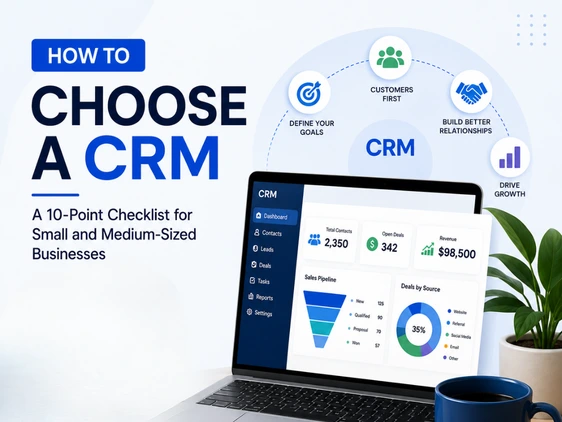

If you’ve ever typed a customer’s name into three different spreadsheets, sent a follow-up email two weeks late because it slipped through the cracks, or watched a salesperson leave the company and take all their client knowledge with them, you already know why this matters. Knowing how to choose a CRM isn’t just a software decision — it’s a decision about how your business remembers, communicates with, and grows its customer base.
For small and medium-sized businesses, the CRM market can feel overwhelming. There are dozens of platforms, hundreds of features, and a sea of conflicting “best CRM” lists. But the right choice doesn’t come from picking the CRM with the most features — it comes from understanding your business first, and then matching that understanding to a tool that fits.
This guide walks you through a practical, 10-point checklist for choosing a CRM, along with the questions you should be asking before you ever book a demo. Whether you’re replacing spreadsheets for the first time or switching from a system that never quite worked, this framework will help you make a decision you won’t regret in six months.
Why Use a CRM Tool in the First Place?
Before diving into the checklist, it’s worth pausing on the “why.” Many small business owners delay adopting a CRM because they assume it’s only useful once a business reaches a certain size. The data tells a different story.
Roughly half of businesses with fewer than 10 employees already use a CRM platform, and adoption among SMBs continues to climb year over year as cloud-based tools become more affordable and easier to set up. The reasons are straightforward:
- Centralized customer information. Every call, email, deal, and note lives in one place — not scattered across inboxes and notebooks.
- Fewer dropped follow-ups. Automated reminders mean leads don’t go cold simply because someone forgot.
- Better forecasting. When deal stages and values are tracked consistently, you can actually predict next quarter’s revenue instead of guessing.
- Smoother handoffs. When an employee leaves or a deal moves from sales to support, the history travels with the customer record — not in someone’s head.
- Data that compounds. The longer you use a CRM consistently, the more valuable your historical data becomes for spotting patterns, repeat buyers, and seasonal trends.
[Internal Link: Related Blog — CRM Data Migration: How to Move from Spreadsheets Without Losing a Lead]
That said, a CRM is only as good as the fit between the tool and the business using it. That’s where this checklist comes in.
Step 1: Identify Your Business Requirements Before You Shop
The single biggest mistake businesses make when choosing a CRM is starting with the software instead of starting with the problem. Before you compare a single platform, sit down with your team and answer these questions:
- What does our customer journey actually look like? Map out every stage from first contact to closed deal (and beyond, into support or renewals). A consulting firm with a six-month sales cycle has very different needs from an e-commerce store with same-day purchases.
- Who needs to use the CRM, and how? List every team that will touch the system — sales, marketing, support, even finance. A CRM that only serves your sales team but ignores how support tickets get logged will create new silos instead of removing old ones.
- What’s broken right now? Be specific. Is it missed follow-ups? Duplicate contacts? No visibility into pipeline value? Your answers here directly shape which features matter most.
- What’s our realistic budget — including hidden costs? Budget for the subscription, but also for onboarding, data migration, training time, and any add-ons (extra automation, reporting, or integrations) that often sit behind higher-tier plans.
- How technical is our team? Be honest. If your team isn’t comfortable with complex configuration, a powerful-but-complicated platform will sit unused — no matter how impressive its feature list looks.
This requirements-gathering step typically takes a few hours but saves weeks of frustration later. It’s also the foundation for the rest of this checklist — every point below should be evaluated against the answers you write down here.
The 10-Point CRM Buyer’s Checklist
Here’s the core framework. Use it as a scorecard: for each CRM you’re considering, rate it against these 10 criteria based on your own business’s priorities.
1. Ease of Use (The Easiest CRM to Use Is the One Your Team Will Actually Use)
This is, without exaggeration, the most important factor for small businesses — and the one most often underestimated. A CRM with a steep learning curve doesn’t just slow down onboarding; it actively gets abandoned. Industry research consistently finds that a meaningful share of CRM users say their tools are inefficient, and a notable portion of businesses have switched systems specifically because of poor usability.
What to look for:
- A clean, intuitive interface that doesn’t require a manual to navigate
- Minimal clicks to log a call, add a note, or update a deal stage
- A mobile app that mirrors the desktop experience for field teams
- Free trials or demo environments you can actually test with your real workflows
2. Core Features That Match Your Workflow
It’s tempting to chase the platform with the longest feature list, but more features often mean more complexity — and complexity is the enemy of adoption for small teams.
Focus on the features tied directly to the requirements you identified in Step 1:
| Business Need | Core CRM Feature to Prioritize |
|---|---|
| Tracking leads through a sales pipeline | Visual pipeline / kanban-style deal boards |
| Managing repeat customer relationships | Contact timelines and interaction history |
| Email-heavy sales process | Email integration and tracking |
| Field sales or service teams | Mobile app with offline access |
| Quote-heavy sales | Built-in quoting or proposal tools |
| Multi-channel customer support | Shared inbox or ticketing integration |
Avoid the trap of choosing based on features you “might need someday.” You can almost always upgrade later — but you can’t easily un-learn a system that was too complex from day one.
3. Customization and Scalability
Your business today isn’t your business in two years. A good CRM should flex with you — but customization should be additive, not a prerequisite for basic use.
Ask:
- Can you add custom fields, deal stages, or pipelines without developer help?
- Does the platform offer different tiers you can grow into, rather than forcing a full migration later?
- Can you create role-based views so a salesperson sees a simplified screen while an admin sees full configuration options?
4. Integration with Your Existing Tools
Your CRM doesn’t operate in isolation. It needs to talk to your email provider, calendar, accounting software, marketing tools, and possibly your e-commerce platform or support desk.
Before committing, confirm native integrations exist for:
- Your email provider (Gmail, Outlook, etc.)
- Your calendar and scheduling tools
- Your invoicing or accounting software
- Any marketing automation or email marketing tools you use
- WhatsApp Business, if relevant to your market (especially important for many SMBs in India and Southeast Asia)
If a “must-have” integration only exists through a third-party connector or paid add-on, factor that cost and complexity into your evaluation — not just the headline subscription price.
5. Data Migration and Onboarding Support
Switching to a new CRM almost always means moving existing data — contacts, deal history, notes — out of spreadsheets or a legacy system. This step is where many CRM rollouts stall.
Questions to ask vendors:
- Do they offer guided or assisted data import?
- What format does your existing data need to be in (CSV, Excel, etc.)?
- Is there a dedicated onboarding specialist, or is it self-serve documentation only?
- How long does a typical migration take for a business your size?
[Internal Link: Related Blog — CRM Data Migration: How to Move from Spreadsheets Without Losing a Lead]
A platform that looks affordable on paper can become expensive fast if migration requires hiring a consultant or weeks of manual data entry.
6. Automation Capabilities
Automation is where modern CRMs deliver outsized value for small teams — letting a five-person team operate with the consistency of a much larger one.
Look for automation that handles:
- Lead assignment: New leads automatically routed to the right person based on territory, product, or availability
- Follow-up reminders: Automatic nudges when a deal has been inactive for X days
- Email sequences: Triggered emails based on deal stage or customer action
- Data entry: Auto-logging of emails and calls so reps aren’t manually typing notes after every interaction
A word of caution: automation should reduce manual work, not create a black box your team doesn’t understand. Choose tools where automations are visible and editable by non-technical staff.
7. Reporting and Analytics
A CRM’s reporting features turn raw activity into decisions. At minimum, your CRM should be able to answer:
- How many deals are in each stage of the pipeline, and what’s their total value?
- Which sources generate the highest-quality leads?
- How long does it typically take to close a deal?
- Which team members or products are over- or under-performing?
[Internal Link: Related Resource — Sales Reporting Templates]
For SMBs, look for pre-built dashboards rather than tools that require building reports from scratch. The best reporting features are the ones your team will actually check weekly — not just during quarterly reviews.
8. Customer Support and Vendor Reliability
When something breaks — and eventually something will — how quickly can you get help? This matters more for small businesses than large enterprises, because SMBs typically don’t have an in-house IT team to troubleshoot.
Evaluate:
- Support channels available (chat, email, phone) and their response time commitments
- Whether support is included at your pricing tier, or reserved for higher-paying customers
- Community forums, knowledge bases, and video tutorials for self-service troubleshooting
- The vendor’s track record — how long have they been operating, and do they have visible customer reviews and case studies?
9. Security, Compliance, and Data Ownership
Even small businesses handle sensitive customer data — names, contact details, payment information, and sometimes health or financial records depending on your industry.
Confirm the CRM offers:
- Data encryption in transit and at rest
- Role-based access controls so not every employee sees every record
- Regular automated backups
- Compliance with relevant regulations for your region and industry (data protection laws vary, so check what applies to your customer base)
- A clear data export process — if you ever need to leave the platform, can you take your data with you easily?
10. Total Cost of Ownership (Not Just the Sticker Price)
The advertised “per user, per month” price is rarely the full story. Calculate total cost of ownership by adding:
- Base subscription cost × number of users
- Onboarding or implementation fees
- Cost of any required add-ons (advanced automation, reporting, storage)
- Training time (your team’s hours have a cost too)
- Cost of integrations or middleware if native ones aren’t available
A platform priced slightly higher per seat but with onboarding support, training resources, and broad integrations included can often work out cheaper — and far less stressful — than a “budget” option that requires extensive setup help.
Common Mistakes Businesses Make When Choosing a CRM
Even with a solid checklist, certain mistakes show up again and again:
- Choosing based on the biggest brand name rather than fit for your team size and workflow
- Skipping the trial with real users and letting only the founder or manager test the platform
- Underestimating migration time and effort, leading to rushed, incomplete data transfers
- Over-customizing on day one, creating a system so complex new hires can’t learn it
- Ignoring mobile usability, especially for field sales or service teams who rarely sit at a desk
[Internal Link: Related Blog — Top CRM Implementation Mistakes and How to Avoid Them]
Emerging Trends Shaping CRM Choices in 2026
A few developments are worth factoring into your decision, even if they’re not your top priority today:
- AI-assisted data entry and enrichment. Many CRMs now offer AI tools that automatically log emails, extract details from documents, and fill in missing contact information — directly addressing one of the most common SMB complaints: manual data entry eating into selling time.
- Natural language reporting. Instead of building complex reports, newer CRMs let users type questions like “show me deals closing this month” and get instant answers — a meaningful advantage for non-technical teams.
- Mobile-first design. With field sales and remote work now standard, mobile usability has shifted from a “nice to have” to a baseline expectation.
Key Takeaways
- Start with your business requirements, not a vendor’s feature list — map your customer journey, identify your pain points, and define your budget before evaluating tools.
- Ease of use is the deciding factor for most SMBs. The easiest CRM to use is the one your whole team will adopt, not just the one with the most capabilities.
- Use the 10-point checklist — ease of use, core features, customization, integrations, migration support, automation, reporting, customer support, security, and total cost of ownership — to score each option consistently.
- Calculate total cost of ownership, including onboarding, training, and add-ons, not just the advertised subscription price.
- Plan for data migration and onboarding from day one — this is where many CRM rollouts succeed or stall.
Conclusion
Choosing the right CRM for your business doesn’t have to be overwhelming once you flip the process around: start with your team, your workflows, and your goals — then let those answers guide which platform fits. A CRM that’s easy to use, fits your existing tools, and grows with you will deliver far more value than one chosen purely for its feature count or brand recognition.
Use the 10-point checklist in this guide as your scorecard during demos and trials. Involve the people who’ll use the system daily, calculate the real total cost, and don’t rush the data migration step. Get those fundamentals right, and your CRM becomes what it’s meant to be: a tool that helps your team build better customer relationships, not another system gathering digital dust.
Businesses evaluating modern CRM solutions can explore Utiliko to better understand how CRM platforms help centralize customer information, automate workflows, and improve team collaboration — all from an interface designed with small business teams in mind.
Ready to simplify your customer management process? Start your free trial today and discover how a modern CRM can help your team work smarter.
FAQ
1. How do I identify my business requirements for a new CRM system?
Start by mapping your customer journey from first contact to closed sale (and beyond), listing every team that will use the CRM, identifying your current pain points (missed follow-ups, duplicate data, lack of reporting), and setting a realistic budget that includes onboarding and training costs — not just the subscription fee.
2. What is the easiest CRM to use for a small business?
The easiest CRM to use is one with a clean interface, minimal setup steps for common tasks (like logging a call or updating a deal), a mobile app that matches the desktop experience, and a free trial you can test with your actual team — not just the decision-maker.
3. How much should a small business expect to pay for a CRM?
Pricing varies widely based on features and team size, with most SMB-friendly platforms charging on a per-user, per-month basis. However, the subscription cost is only part of the picture — factor in onboarding, training time, and any add-ons for advanced automation or reporting when comparing total cost.
4. Why use a CRM tool instead of spreadsheets?
Spreadsheets don’t automatically remind you about follow-ups, don’t give visibility into your full pipeline value, and become unreliable as more people edit them. A CRM centralizes customer data, automates reminders, and ensures information isn’t lost when an employee leaves or a deal changes hands.
5. How long does it take to implement a new CRM?
For most small and medium-sized businesses, implementation — including data migration, basic configuration, and initial training — typically takes anywhere from a few weeks to a few months, depending on the complexity of your existing data and how many integrations are needed.
6. Can I switch CRMs later if my business outgrows the one I choose?
Yes, though switching involves data migration effort similar to your initial setup. To minimize future disruption, choose a CRM with straightforward data export options and avoid platforms that lock your data into proprietary formats.
