

Blog
CRM Reporting 101: 10 Reports To Run Every Week

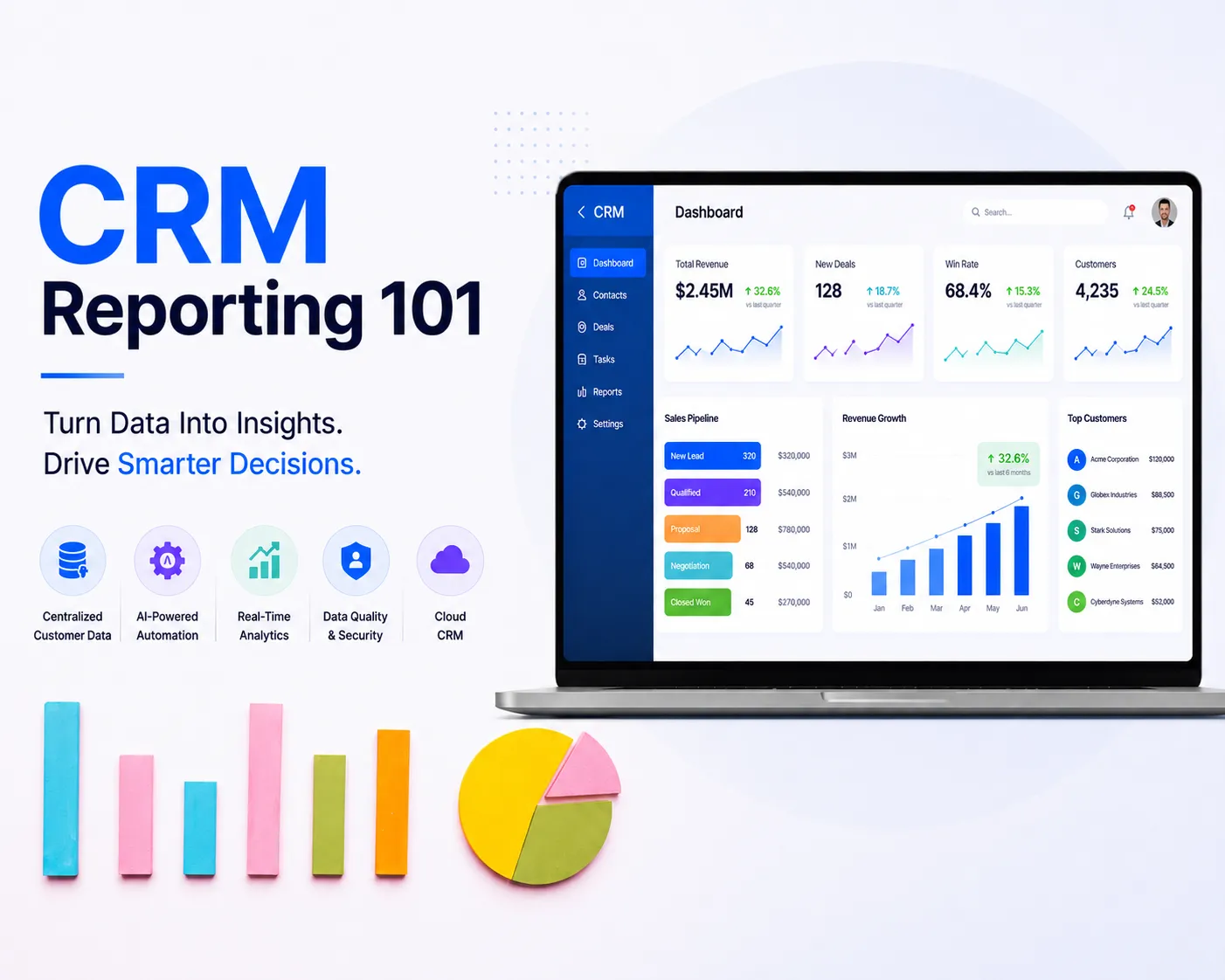
You have access to decent CRM reporting, but you don’t run the right reports on a consistent weekly schedule. This is why deals slip, reps go quiet, and pipelines shrink without warning.
The gap between a manager who reacts to problems and one who prevents them is how they use the data at their disposal.
This guide provides the 10 CRM reports that belong in your weekly analysis rhythm, along with pointers on what to do when a report highlights an issue.
What Is CRM Reporting?
CRM reporting is the process of pulling structured data from your customer relationship management system to analyze sales activity, pipeline health, and team performance. Not to generate charts, but to surface problems before they hit your revenue.
Most managers check CRM data when something already feels wrong: a missed quota, a rep who went quiet, a month that looks light. That’s reactive management. A consistent weekly reporting rhythm flips the model. You see the problem 3 to 4 weeks before it shows up in your revenue numbers.
For instance, a 7-person B2B services team running an all-in-one small business management software cut their average deal age by 11 days, running a weekly deal-age report. They established one rule: any deal sitting in “Proposal Sent” for more than 14 days without a logged follow-up triggered an immediate manager check-in.
Sales managers are best served by weekly reporting on team-level progress, with the VP level reviewing monthly roll-ups. The reason weekly works is because monthly reviews find problems too late to course-correct, and daily reviews create noise without context.
10 CRM Reports Every Sales Manager Should Run Weekly
These are the 10 reports to track:
1. Sales Pipeline Report
What it shows: Total number and value of deals in each stage of your pipeline, right now.
Why it matters: A pipeline that looks healthy on total value can be hiding serious fragility. If 65% of your pipeline value sits in two deals with one decision-maker each, you’re heading into a terrible quarter. This report forces a disaggregated view, stage by stage, deal by deal.
Action trigger: When deals cluster at one stage (say, five deals stuck in “Proposal Sent” with nothing advancing), that’s a lead generation problem.
Pull Report #5 (Conversion Rate by Stage) immediately and diagnose the specific bottleneck before adding more top-of-funnel activity.
2. Pipeline Coverage Ratio Report
What it shows: Total pipeline value divided by quota for the current period.
Why it matters: This is the most underused report on this list. The standard benchmark is a 3:1 coverage ratio, three dollars in pipeline for every dollar of quota, for predictable revenue. Most small businesses run below 2:1 and wonder why they consistently miss quota. The answer isn’t closing skills. It’s arithmetic.
This report is a direct read on your top-of-funnel health. If coverage is under 2.5x mid-month, you have a lead generation problem. No amount of better discovery call technique fixes an empty pipeline.
Action trigger: Coverage drops below 2.5x at any point during the week? The conversation with reps shifts immediately, from “how are your open deals progressing” to “how many net-new conversations did you open this week?”
Two completely different coaching conversations. Know which one you’re having.
3. Lead Source Report
What it shows: Where inbound leads are coming from: referrals, website, LinkedIn, cold outreach, events, paid, and the conversion rate from each source.
Why it matters: Not all leads are the same. A referral-sourced lead might close at 38% while a paid-search lead closes at 9%. If you’re splitting your time equally between channels without tracking source-to-close rates, you’re optimizing for activity instead of outcomes.
Running this on a rolling 30-day basis reveals channel trends before they compound. When a previously productive source drops off, referrals slow down, an outbound sequence stops converting, and you catch it in the data before your pipeline feels it.
Action trigger: Double down on the source with the highest lead-to-close conversion rate, regardless of volume. Volume without conversion is noise on a dashboard.
4. Sales Activity Report
What it shows: Calls made, emails sent, meetings booked, and demos completed — by rep, for the past 7 days.
Why it matters: Activity is a leading indicator. Revenue is a lagging one. A rep whose pipeline starts stalling in week 5 almost always had declining activity numbers in weeks 1 and 2. This report gives you the early warning before the pipeline damage is done.
HubSpot’s research on sales performance found that 43% of sales managers rank CRM usage as one of the top productivity measures for their teams, and the activity report is where that usage either shows up or doesn’t.
Action trigger: Set minimum weekly activity thresholds for each rep, for example, 30 outbound contacts, 10 emails, 5 booked meetings. Anything below threshold triggers a coaching conversation that week, not at the end of the month. The goal is to find out what’s blocking the rep before the week is over.
5. Conversion Rate by Stage Report
What it shows: The percentage of deals advancing from one pipeline stage to the next: prospect to qualified, qualified to proposal, proposal to closed.
Why it matters: This is where your sales process either holds or falls apart, in specific, measurable percentages. Most managers may know they have “a closing problem.” Fewer know it’s a discovery-to-proposal problem, or that their reps are pitching to unqualified contacts at twice the rate they should be.
Stage-by-stage conversion rates turn vague team feedback into a precise diagnosis.
Action trigger: If your qualified-to-proposal conversion falls below 55%, your reps are either rushing deals forward or failing to confirm buying authority before building proposals. Add a BANT checkpoint: Budget, Authority, Need, Timeline, as a mandatory gate before any deal can advance to the proposal stage. Run the same report the following week and measure the impact.
6. Won/Lost Reason Report
What it shows: The categorized reasons behind closed-won and closed-lost deals over the trailing 7 to 30 days.
Why it matters: Each lost deal is a data point. The pattern across 10 lost deals is a strategy signal. If “price” has been the #1 loss reason for 8 consecutive weeks, you have either a value-communication problem or a prospect-fit problem. Either way, the path to fixing it is completely different, and knowing which one it is is the difference between coaching that sticks and coaching that doesn’t.
This report also removes subjectivity from performance conversations. You’re showing your rep that 7 of their last 10 losses were tagged “no urgency” and building a specific closing framework around it.
Action trigger: Any loss reason that appears more than 3 times in a single week becomes a coaching topic for the next team meeting. Not an anecdote — a structured conversation with playbook implications.
7. Rep Performance Report
What it shows: Quota attainment, win rate, average deal size, and activity metrics, broken down by individual rep.
Why it matters: A team-level quota report hides the fact that one strong rep can mask two underperformers. Disaggregated rep performance shows you exactly where to invest your coaching time — and it keeps you from accidentally promoting the rep who’s carrying their neighbors.
Run this weekly, but interpret it over a 4-week rolling window. A single rough week isn’t a pattern. Four consecutive ones are.
Action trigger: Your highest-leverage coaching investment is your middle performers — not your top reps (who are self-directed) and not your bottom performers (who often need structural fixes: wrong territory, wrong ICP, wrong toolset). Middle performers respond fastest to targeted coaching and represent the biggest aggregate performance lift available.
8. Deal Age / Sales Velocity Report
What it shows: How long each open deal has been sitting in the pipeline, with breakdowns by stage.
Why it matters: A deal that has been in “Proposal Sent” for 52 days is not a deal. It’s a wishful entry on a spreadsheet. Pipeline velocity — how quickly deals move from stage to stage — directly impacts forecast accuracy and rep motivation. Stagnant pipelines create both inaccurate projections and demoralized reps.
Bloated pipelines with zombie deals also corrupt every downstream report. Your conversion rates look worse than they are. Your coverage ratio looks better than it is. Accurate data requires clean data.
Action trigger: Set a maximum deal age per stage based on your average sales cycle. Any deal that exceeds the limit without logged activity gets a re-engagement task created same-day. If that re-engagement gets no response within 5 business days, mark it lost and clear it. Clean pipelines always outperform inflated ones.
9. Forecast vs. Actual Report
What it shows: What reps committed to closing in the current period versus what has actually closed.
Why it matters: Forecast accuracy is a trust currency. A manager who can walk into a leadership meeting and say “we’ll close $190K this month, plus or minus 12%” and consistently deliver builds organizational credibility over time. A manager whose forecast is a guess every month loses influence in budget conversations, hiring decisions, and strategic planning.
Run this weekly to track commit vs. close in real time, not just as an end-of-month post-mortem. The weekly view tells you whether you’re on track before it’s too late to act.
Action trigger: Any rep whose forecast accuracy falls below 70% for two consecutive weeks has one of two issues: they’re sandbagging commitments (committing low to exceed expectations), or they’re overestimating deal quality. The coaching response is different for each. Identify which one it is before you build a plan around it.
10. Overdue Tasks and Follow-Up Report
What it shows: Every logged task, follow-up, and next step that is past its due date — by rep.
Why it matters: Deals don’t die suddenly. They die in the silence between touchpoints. A prospect who hasn’t heard from your rep in 14 days didn’t go cold on their own, the rep let it happen. This report shows exactly where accountability is breaking down, and it surfaces the breakdowns before the deals are gone.
The best sales teams use this as a Friday end-of-week ritual. The question is never “why is this overdue?” — it’s “what needs to happen today so this is resolved before Monday.”
Action trigger: Any rep carrying more than 5 overdue tasks at Friday’s review gets a same-day check-in. Purpose: not discipline, roadblock removal. Tasks go overdue most often because a rep hit a dead end (prospect stopped responding, decision-maker changed, proposal feedback never came back) and didn’t escalate. Surface the block, remove it, restart the momentum. Utiliko’s task and follow-up management makes this workflow automatic; overdue items surface at the rep level before the manager even has to look.
Building This Into a Weekly Rhythm That Sticks
Running these 10 reports randomly provides about 20% of the value. The compounding effect comes from a consistent schedule.
- Monday morning: Pipeline, Coverage Ratio, Lead Source. These three tell you where the week stands strategically. You know where the gaps are before any rep sends their first email.
- Midweek (Wednesday): Activity Report and Overdue Tasks. Course-correct while you still can. A rep behind on activity Monday can recover by Thursday. A rep behind on activity Friday can’t.
- Friday: Deal Age, Forecast vs. Actual, Conversion by Stage. Feed your week-ahead planning and your monthly projection. These reports should take 20 minutes, not two hours — which means your CRM data needs to be current and your reports pre-built.
Won/Lost Reasons and Rep Performance run weekly but are interpreted on a 30-day rolling basis. Don’t react to one-week noise; look for the 4-week signal.
If your current platform requires manual report pulls, data cleanup, or cross-referencing two systems to get one answer, you have a platform problem.
Utiliko’s all-in-one business management platform is built specifically so SMBs get enterprise-grade reporting visibility without the enterprise overhead. For teams that want to understand how this fits into a broader operating system, the complete guide to business operations software is a good next read.
The Bottom Line
Managers who run their sales teams on intuition will always be surprised by the numbers. Managers who build a weekly CRM reporting rhythm stop being surprised because they’re seeing the problem 3 weeks before it costs them a deal.
Start with the pipeline report and the coverage ratio. Run them Monday morning before anything else. Add the other eight over the next two to three weeks until the rhythm is locked in.
The reports don’t manage the team. They tell you exactly where to focus — so you can.
Ready to run all 10 of these reports from a single platform without stitching together spreadsheets and disconnected tools?
Try Utiliko for free for 14 days to get better visibility into your sales pipeline.
Frequently Asked Questions
What CRM reports should a sales manager run every week?
The core weekly stack: pipeline report, pipeline coverage ratio, lead source, sales activity, conversion rate by stage, and overdue tasks. These six give you a full picture of current pipeline health and near-term risk. Forecast vs. Actual, Deal Age, Won/Lost Reasons, and Rep Performance round out the complete 10.
How do I know if my sales pipeline is healthy?
A healthy pipeline has a coverage ratio of at least 2.5x your current quota, deals distributed across all stages rather than clustering at one, and deal ages within your expected sales cycle length. Pipeline value alone is not a reliable health indicator.
What is a good pipeline coverage ratio for a small business?
The standard benchmark is 3:1; three dollars of pipeline for every dollar of quota. Businesses should target a minimum of 2.5:1. Anything below that signals a lead generation problem that will show up in revenue within 30 to 60 days.
How often should a sales manager review CRM data?
Operational reports: activity, pipeline, overdue tasks belong in a weekly rhythm. Performance and pattern reports like rep leaderboard, win/loss analysis, and forecast accuracy are most useful on a 30-day rolling basis. Daily data review is typically more relevant for individual reps than for managers.
What is the difference between a CRM dashboard and a CRM report?
A dashboard shows live data at a glance, it’s designed for real-time monitoring. A report is a structured analysis of data over a defined time period. You need both: dashboards for daily awareness, reports for weekly decisions, and weekly coaching.
Can small businesses benefit from weekly CRM reporting?
They benefit most. At a small business, every deal has an outsized impact on monthly revenue. Losing one deal proportionally hurts an SMB far more than an enterprise. Weekly CRM reporting gives a small sales team the same diagnostic visibility a large team gets from a dedicated revenue operations function, without needing the headcount.

More articles
 Blog How to Choose the Best CRM for Sales Team
A rep runs a great discovery call on Monday. By Thursday, nobody can say for certain who owns…
Blog How to Choose the Best CRM for Sales Team
A rep runs a great discovery call on Monday. By Thursday, nobody can say for certain who owns…
 Blog The Complete CRM Comparison Guide: How to Compare CRM Software and Choose the Right One
Seventy percent of CRM implementations fail — not because the software is bad, but because businesses chose the…
Blog The Complete CRM Comparison Guide: How to Compare CRM Software and Choose the Right One
Seventy percent of CRM implementations fail — not because the software is bad, but because businesses chose the…
 Blog Top 10 CRM Platforms for Electrical Contractors in 2026
Managing customer relationships in an electrical business isn’t just about storing phone numbers anymore. Today’s contractors coordinate multiple…
Blog Top 10 CRM Platforms for Electrical Contractors in 2026
Managing customer relationships in an electrical business isn’t just about storing phone numbers anymore. Today’s contractors coordinate multiple…